Sharp MX-2300N Guide Setup Guide Page 11
- Page / 132
- Table of contents
- BOOKMARKS

- Scanner Guide 1
- TABLE OF CONTENTS 2
- ABOUT THIS MANUAL 4
- Icons used in the manuals 5
- BEFORE USING THE MACHINE 6
- AS A NETWORK SCANNER 6
- "ON" POSITION 7
- CHECKING THE DATE AND TIME 7
- STORING SENDER INFORMATION 8
- SCAN MODE IN THE ADDRESS BOOK 9
- ADDING DESTINATIONS 10
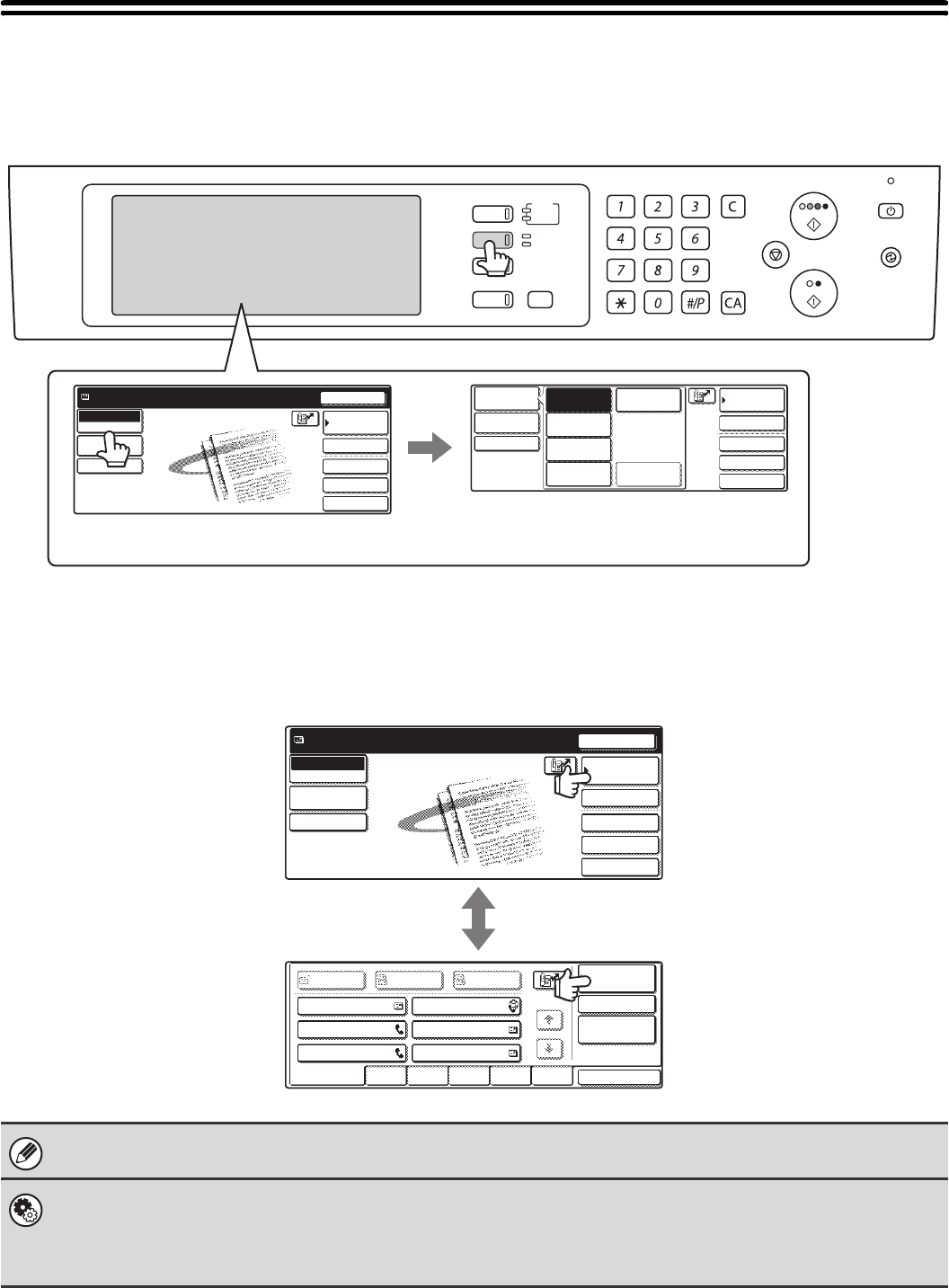
- BASE SCREEN 11
- BASE SCREENS 12
- [Image Settings] key 14
- ADDRESS BOOK SCREEN 15
- THE ADDRESS BOOK SCREEN 16
- ORIGINAL SIZES 19
- ENTERING DESTINATIONS 20
- CALLING UP A DESTINATION 21
- DESTINATIONS 22
- DESTINATION 23
- ENTER THE ADDRESS MANUALLY 24
- GLOBAL ADDRESS BOOK 25
- Select the destination 26
- USING THE RESEND FUNCTION 27
- BASIC PROCEDURE FOR 28
- TRANSMISSION IN SCAN MODE 28
- Specify the destination 30
- CHANGING THE EXPOSURE AND 32
- EXPOSURE MODE 32
- How to select the exposure 33
- CHANGING THE RESOLUTION 34
- (2) Touch the [Original] key 35
- [2-Sided Tablet] key 35
- Touch the [Scan Size] key 37
- Specify the scan size 37
- Touch the [OK] key 37
- Touch the [Send Size] key 39
- Specify the send size 39
- CHANGING THE COLOUR MODE 40
- CHANGING THE FILE FORMAT 41
- REPLY-TO, AND MESSAGE 43
- SCANNING IN USB MEMORY 46
- Change to USB memory mode 47
- Enter the scan size 57
- ENTERING THE FILE NAME 62
- CHANGING THE EXPOSURE 66
- Scan transmission 68
- AND MESSAGE 74
- [Body Text] key 75
- CHECKING THE STATUS OF 76
- TRANSMISSION/RECEPTION 76
- ☞ Job key display (page 77) 77
- 10:22 11/01 000/004 Waiting 78
- Display Status 79
- COMPLETED 80
- CHECKING COMPLETED JOBS 81
- STOPPING A SCAN JOB BEING 82
- TRANSMITTED OR WAITING TO BE 82
- TRANSMITTED 82
- GIVING PRIORITY TO A SCAN 83
- TRANSMISSION JOB 83
- CONVENIENT FUNCTIONS 84
- Touch the [Address Book] key 85
- Address Book screen 85
- Check the destinations 86
- INTERNET FAX DESTINATIONS 87
- JOB STATUS 88
- IMAGE (Erase) 89
- SCANNING AN ORIGINAL AS TWO 92
- (Timer Transmission) 95
- (1) Specify the day 96
- (Suppress Background) 98
- Press the [COLOUR START] key 100
- START] key ( ) 100
- A SINGLE PAGE (Card Shot) 101
- (25 210) 102
- Indicator 104
- (3) Touch the [OK] key 105
- Read-End 106
- Press [Start] 106
- A3 (11" x 17") 107
- (8-1/2" x 14") 107
- Place the original 113
- Touch the [Program] key 113
- Call up the stored program 113
- Select additional settings 113
- Settings) 115
- INTERNET FAX FUNCTIONS 116
- Change to Internet fax mode 117
- Touch the [Manual RX] key 117
- Received data is stored 118
- Place the original(s) 119
- Select Transaction Report 122
- (2) Touch the [OK] key 123
- COMPUTER (PC-I-Fax) 126
- SCANNING FROM A COMPUTER 127
- (PC SCAN MODE) 127
- [At your computer] 128
- Preview the image 129
- Click the [Scanning] button 130
- [At the machine] 131
- MX4500-EX-SCN-Z1 132
Related products and manuals for Copiers Sharp MX-2300N Guide
 (178 pages)
(113 pages)
(108 pages)
 (66 pages)
(84 pages)
(12 pages)
(12 pages)
(12 pages)
(272 pages)
(19 pages)
(132 pages)
(45 pages)
(12 pages)
(48 pages)
 (80 pages)
(8 pages)
(92 pages)
(8 pages)
(188 pages)
(12 pages)
Trust 14192 Handbücher
Bedienungsanleitungen und Benutzerhandbücher für Lautsprecher Trust 14192.
Wir stellen 1 PDF-Handbücher Trust 14192 zum kostenlosen herunterladen nach Dokumenttypen zur Verfügung Datenblatt

Inhaltsverzeichnis
Weitere Produkte und Handbücher für Lautsprecher Trust
| Modelle | Dokumententyp |
|---|---|
| 15410 |
Datenblatt
     Trust 2.1 Speaker Set SP-3920,
2 Seiten |
| 15011 |
Datenblatt
Trust 5.1 Surround Speaker Set SP-6210 UK,
1 Seiten
|
| 14567 |
Datenblatt
Trust 5.1 Surround Speaker Set SP-6400M UK,
1 Seiten
|
| Vintori |
Installationsanleitung
 Trust Vintori,
87 Seiten |
| Conva |
Installationsanleitung
 Trust Conva,
2 Seiten |
| Pulsion |
Installationsanleitung
Trust Pulsion [en] ,
1 Seiten
|
| 18279 |
Installationsanleitung
 Trust 18279 loudspeaker,
2 Seiten |
| 14716 |
Datenblatt
Trust 2.1 MP3 Speaker Set SP-3550B UK,
1 Seiten
|
| MiDo 2.1 |
Bedienerhandbuch
Trust MiDo 2.1,
2 Seiten
|
| Universe | Bedienungsanleitung Trust Universe, 1 Seiten |
| SP-2350S UK |
Handbuch
 Trust SP-2350S UK,
10 Seiten |
| SoundForce 2.1 QuickSilver |
Bedienerhandbuch
Trust SoundForce 2.1 QuickSilver,
2 Seiten
|
| Cone Portable Notebook Speakers |
Installationsanleitung
Trust Cone Portable Notebook Speakers,
1 Seiten
|
| Sphere Notebook Speaker |
Installationsanleitung
Trust Sphere Notebook Speaker,
1 Seiten
|
| MiDo 2.1 Speaker Set |
Bedienerhandbuch
Trust MiDo 2.1 Speaker Set,
2 Seiten
|
| Wave 2.1 |
Installationsanleitung
Trust Wave 2.1,
1 Seiten
|
| Pulsion XL 2.0 |
Installationsanleitung
Trust Pulsion XL,
1 Seiten
|
| SoundForce Presto | Bedienungsanleitung Trust SoundForce Presto, 1 Seiten |
| SoundForce 2.1 | Bedienungsanleitung Trust SoundForce 2.1, 1 Seiten |
| Soundforce | Bedienungsanleitung Trust Soundforce, 1 Seiten |
© 2020, manymanuals.com. All rights reserved. | 0.033 s |
 Manymanuals.com
 Manymanuals.de
 Manymanuals.fr
 Manymanuals.it
 Manymanuals.pl
 Manymanuals.cz
 Manymanuals.es
 Manymanuals-pt.com
Comments to this Manuals