Sharp R-520E Specifications Page 84: (Items for recording photos)
 1
 2
 3
 4
 5
 6
 7
 8
 9
 10
 11
 12
 13
 14
 15
 16
 17
 18
 19
 20
 21
 22
 23
 24
 25
 26
 27
 28
 29
 30
 31
 32
 33
 34
 35
 36
 37
 38
 39
 40
 41
 42
 43
 44
 45
 46
 47
 48
 49
 50
 51
 52
 53
 54
 55
 56
 57
 58
 59
 60
 61
 62
 63
 64
 65
 66
 67
 68
 69
 70
 71
 72
 73
 74
 75
 76
 77
 78
 79
 80
 81
 82
 83
 84
 85
 86
 87
 88
 89
 90
 91
 92
 93
 94
 95
 96
 97
 98
 99
 100
 101
 102
 103
 104
 105
 106
 107
 108
 109
 110
 111
 112
 113
 114
 115
 116
 117
 118
 119
 120
 121
 122
 123
 124
 125
 126
 127
 128
 129
 130
 131
 132
 133
 134
 135
 136
84
Table of Contents Useful Recording Techniques Index
Notes
The recommended distance to the subject when using the built-in flash is about 0.3 to 2.5 m (1 to 8 feet).
Remove any dust from the surface of the flash before using it. Flash effect may be impaired if heat
discoloration or dust obscures the lamp.
You cannot set this item when a filter or a conversion lens is attached to your camcorder.
The
/CHG (charge) lamp (p. 8) flickers while charging the flash, and remains lit when the battery charge
is complete.
If you use the flash in bright places such as when shooting a backlit subject, the flash may not be effective.
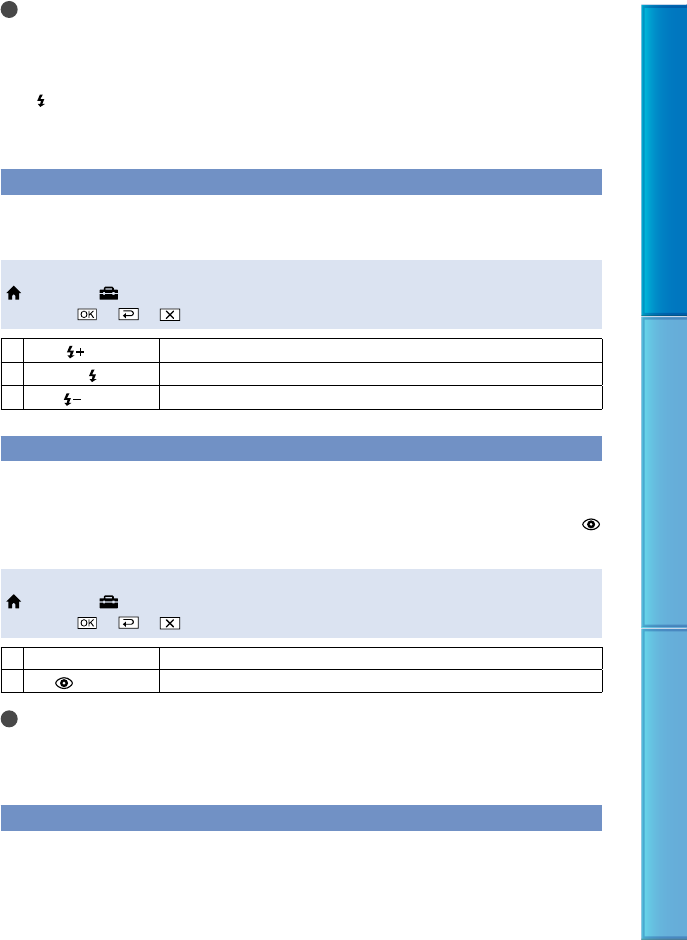
FLASH LEVEL
You can set this function when you record photos using the built-in flash, or an external flash
(sold separately) that is compatible with your camcorder.
Steps
(HOME)
(SETTINGS)
[PHOTO SETTINGS]
[FLASH LEVEL]
a desired
setting
HIGH ( )
Makes the flash level higher.
NORMAL (
)
LOW (
)
Makes the flash level lower.
REDEYE REDUC (Redeye reduction)
You can set this function when you record photos using the built-in flash, or an external flash
(sold separately) that is compatible with your camcorder.
When you set [REDEYE REDUC] to [ON], then set [FLASH MODE] to [AUTO] or [ON],
appears. You can prevent redeye by activating the pre-flash before the flash flashes.
Steps
(HOME)
(SETTINGS)
[PHOTO SETTINGS]
[REDEYE REDUC]
a desired
setting
OFF
Does not prevent redeye.
ON (
)
Prevents redeye.
Notes
The redeye reduction may not produce the desired effect due to individual differences and other
conditions.
The redeye function does not work with automatic recording using [SMILE SHUTTER].
DIAL SETTING
You can select an item you want to set to the MANUAL dial. For details, see page 38.
PDF file · ·
Questions about Sharp R-520E
No questions about this manual yet. Ask the first one.
Related products and manuals for Microwaves Sharp R-520E
- Microwaves Sharp R-308CK Specifications

 (27 pages)
- Microwaves Sharp R-90GC Service Manual
(52 pages)
- Microwaves Sharp R-899S User Manual
(8 pages)
- Microwaves Sharp R-402JW Service Manual
(40 pages)
- Microwaves Sharp R-510HW - 1200 Watt Full Size Microwave Service Manual
(27 pages)
- Microwaves Sharp R-1880LS Service Manual
(60 pages)
- Microwaves Sharp R-770B Service Manual
(40 pages)
- Microwaves Sharp R-403KK Service Manual
(44 pages)
- Microwaves Sharp R-342E User Manual
 (2 pages)
- Microwaves Sharp R-200BW Specifications
(123 pages)
- Microwaves Sharp R-501FW Specifications
(24 pages)
- Microwaves Sharp R-404JK Service Manual
(16 pages)
- Microwaves Sharp R-140D Specifications
(24 pages)
- Microwaves Sharp 21HT-16C Service Manual
(44 pages)
- Microwaves Sharp R-320BB User Manual
(8 pages)
- Microwaves Sharp R-880B Service Manual
(48 pages)
- Microwaves Sharp R-204 Service Manual
(36 pages)
- Microwaves Sharp R-120DK Service Manual
(36 pages)
- Microwaves Sharp CD2200M User Manual
 (8 pages)
- Microwaves Sharp R-330DK Service Manual
(44 pages)