Sharp R-520E Specifications Page 16: Handycam
 1
 2
 3
 4
 5
 6
 7
 8
 9
 10
 11
 12
 13
 14
 15
 16
 17
 18
 19
 20
 21
 22
 23
 24
 25
 26
 27
 28
 29
 30
 31
 32
 33
 34
 35
 36
 37
 38
 39
 40
 41
 42
 43
 44
 45
 46
 47
 48
 49
 50
 51
 52
 53
 54
 55
 56
 57
 58
 59
 60
 61
 62
 63
 64
 65
 66
 67
 68
 69
 70
 71
 72
 73
 74
 75
 76
 77
 78
 79
 80
 81
 82
 83
 84
 85
 86
 87
 88
 89
 90
 91
 92
 93
 94
 95
 96
 97
 98
 99
 100
 101
 102
 103
 104
 105
 106
 107
 108
 109
 110
 111
 112
 113
 114
 115
 116
 117
 118
 119
 120
 121
 122
 123
 124
 125
 126
 127
 128
 129
 130
 131
 132
 133
 134
 135
 136
16
Table of Contents
Useful Recording Techniques
Index
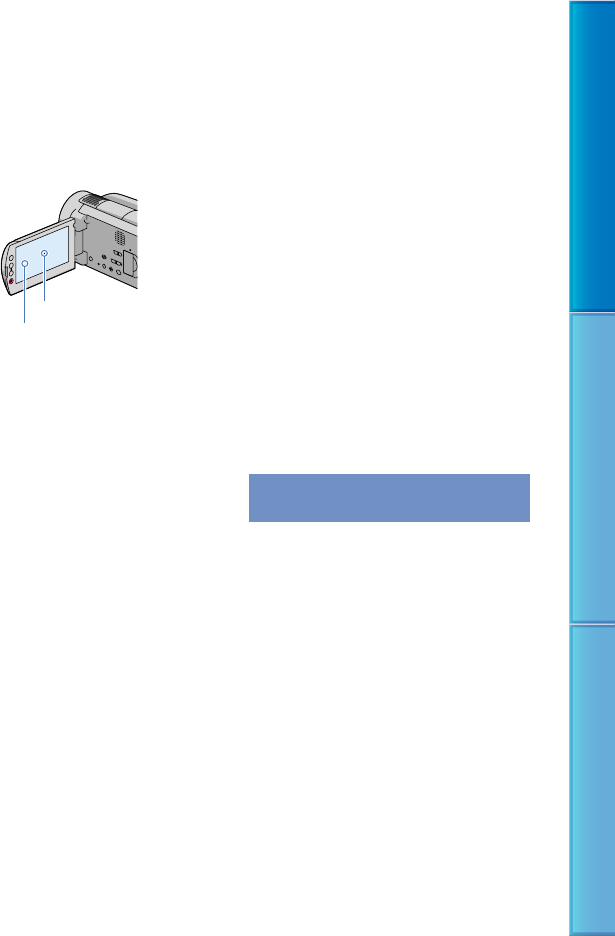
The viewfinder and the LCD screen are
manufactured using extremely high-precision
technology, so over 99.99% of the pixels are
operational for effective use. However, there
may be some tiny black points and/or bright
points (white, red, blue, or green in color) that
appear constantly in the viewfinder and on the
LCD screen. These points are normal results of
the manufacturing process and do not affect the
recording in any way.
White, red, blue or green point
Exposing the LCD screen, the viewfinder, or the
lens to direct sunlight for long periods of time
may cause malfunctions.
Do not aim at the sun. Doing so might cause
your camcorder to malfunction. Take images
of the sun only in low light conditions, such as
at dusk.
About changing the language setting
The on-screen displays in each local language are
used for illustrating the operating procedures.
Change the screen language before using your
camcorder if necessary (p. 22).
Recording
Before starting to record, test the recording
function to make sure that the image and sound
are recorded without any problems.
Compensation for the contents of recordings
cannot be provided, even if recording or
playback is not possible due to a malfunction of
the camcorder, storage media, etc.
TV color systems differ depending on the
country/region. To view your recordings on a
TV, you need an NTSC system-based TV.
Television programs, films, video tapes,
and other materials may be copyrighted.
Unauthorized recording of such materials may
be contrary to the copyright laws.
Playing back recorded images on other
devices
Your camcorder is compatible with MPEG4
AVC/H.264 High Profile for high definition
image quality (HD) recording. Therefore,
you cannot play back images recorded with
high definition image quality (HD) on your
camcorder with the following devices;
Other AVCHD format compatible devices
which are not compatible with High Profile
Devices which are not compatible with the
AVCHD format
Discs recorded with high definition
image quality (HD)
This camcorder captures high definition footage
in the AVCHD format. DVD media containing
AVCHD footage should not be used with DVD
based players or recorders, as the DVD player/
recorder may fail to eject the media and may
erase its contents without warning. DVD media
containing AVCHD footage may be played on
a compatible Blu-ray Disc
player/recorder or
other compatible device.
Notes on using the Hard Disk Drive
Handycam
Save all your recorded image data
To prevent your image data from being lost,
save all your recorded images on external media
periodically. It is recommended that you save
the image data on a disc such as a DVD-R using
your computer (see Operating Guide). Also,
you can save your image data using a VCR, or a
DVD/HDD recorder (p. 67).
Do not apply shock or vibration to your
camcorder
The hard disk of the camcorder may not be
recognized, or recording or playback may not
be possible.
Especially, during recording/playback, do not
apply shock. After recording, do not apply
vibration or shock to the camcorder, while the
ACCESS lamp is lit.
When using a shoulder belt (sold separately), do
not crash the camcorder against an object.
Do not use your camcorder in very loud areas.
Black point
PDF file · ·
Questions about Sharp R-520E
No questions about this manual yet. Ask the first one.
Related products and manuals for Microwaves Sharp R-520E
- Microwaves Sharp R-308CK Specifications

 (27 pages)
- Microwaves Sharp R-90GC Service Manual
(52 pages)
- Microwaves Sharp R-899S User Manual
(8 pages)
- Microwaves Sharp R-402JW Service Manual
(40 pages)
- Microwaves Sharp R-510HW - 1200 Watt Full Size Microwave Service Manual
(27 pages)
- Microwaves Sharp R-1880LS Service Manual
(60 pages)
- Microwaves Sharp R-770B Service Manual
(40 pages)
- Microwaves Sharp R-403KK Service Manual
(44 pages)
- Microwaves Sharp R-342E User Manual
 (2 pages)
- Microwaves Sharp R-200BW Specifications
(123 pages)
- Microwaves Sharp R-501FW Specifications
(24 pages)
- Microwaves Sharp R-404JK Service Manual
(16 pages)
- Microwaves Sharp R-140D Specifications
(24 pages)
- Microwaves Sharp 21HT-16C Service Manual
(44 pages)
- Microwaves Sharp R-320BB User Manual
(8 pages)
- Microwaves Sharp R-880B Service Manual
(48 pages)
- Microwaves Sharp R-204 Service Manual
(36 pages)
- Microwaves Sharp R-120DK Service Manual
(36 pages)
- Microwaves Sharp CD2200M User Manual
 (8 pages)
- Microwaves Sharp R-330DK Service Manual
(44 pages)