Sharp PC-9800T Specifications Page 46
- Page / 125
- Table of contents
- TROUBLESHOOTING
- BOOKMARKS

- Notice for Users in the USA 1
- About the Modem 2
- CAUTION about CD-ROM Drive 4
- CAUTION about Battery 4
- Copyright 4
- Mahwah, NJ 07430 5
- Notice for Users in Canada 6
- Service Inquiries 8
- CAUTION 8
- Notice for Users in the UK 9
- Notice for Users in Europe 10
- CAUTION: 12
- Safety Precautions 13
- Battery Pack Precautions 14
- Lithium Battery Precautions 15
- Modem Precautions 15
- About This Manual 17
- Manual Conventions 19
- Appearance of the Notebook 21
- Table of Contents 24
- Quick Setup 29
- Unpacking the Notebook 31
- Connecting to AC Power 32
- To Wall Outlet 32
- Opening the Notebook 33
- Turning Power On 34
- Power Switch 34
- Setting up Windows 95 35
- Setting Original Wallpaper 36
- Quick Setup 1-7 37
- Basic Operations 38
- Using the AC Adapter 40
- Resetting the System 41
- Using the GlidePoint 42
- Changing the Configuration 43
- Basic Operations 2-5 44
- 2-6 Basic Operations 45
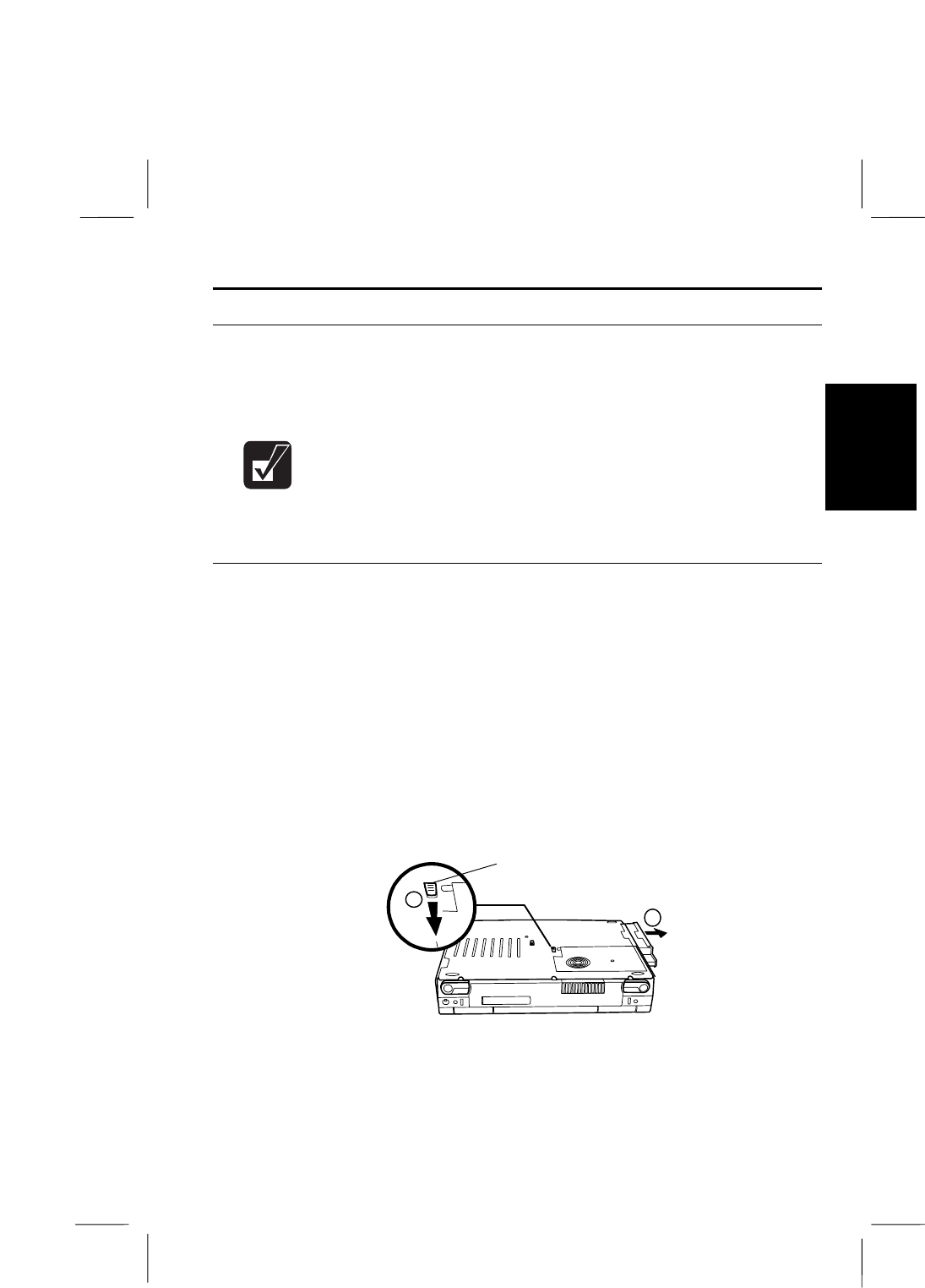
- Right-side Bay 46
- Left-side Bay 47
- Basic Operations 2-9 48
- Using Floppy Disks 49
- Formatting a Floppy Disk 50
- Backing Up Data 51
- Using CD 52
- CLASS 1LASER PRODUCT 53
- LASER KLASSE1 53
- Battery and Power Management 54
- Installing the Battery Pack 56
- Charging the Battery 57
- Checking the Battery Level 57
- Maintaining the Battery Pack 58
- Disposing of Battery Packs 58
- Switching to Each Mode 59
- Idle Mode 60
- Standby Mode 60
- Suspend-to-RAM Mode 60
- Suspend-to-Disk Mode 62
- Setting Power Configuration 63
- Windows Power Management 65
- Peripherals 66
- Peripherals 4-1 68
- Connecting a CRT Monitor 69
- Connecting a Printer 70
- Keyboard/Mouse 71
- PS/2 mouse 72
- 4-6 Peripherals 73
- Peripherals 4-7 74
- 4-8 Peripherals 75
- Communication Functions 76
- Communication Functions 5-1 78
- 5-2 Communication Functions 79
- Communication Functions 5-3 80
- 5-4 Communication Functions 81
- Communication Functions 5-5 82
- Hardware Expansion 83
- Inserting PC Cards 85
- When Using Two PC Cards 86
- Ejecting PC Cards 86
- ZV-Port Compliant PC Card 87
- 6-4 Hardware Expansion 88
- Hardware Expansion 6-5 89
- Installing a Memory Module 90
- Hardware Expansion 6-7 91
- 6-8 Hardware Expansion 92
- Using Passwords 93
- Passwords 95
- Deleting a Password 96
- Security Slot 97
- Setup Utility 98
- Running the Setup Utility 100
- Using the Setup Utility 101
- Settings That You Can Change 102
- 8-4 Setup Utility 103
- Setup Utility 8-5 104
- 8-6 Setup Utility 105
- Setup Utility 8-7 106
- 8-8 Setup Utility 107
- Setup Utility 8-9 108
- 8-10 Setup Utility 109
- Setup Utility 8-11 110
- Troubleshooting 113
- T-2 Troubleshooting 114
- T-4 Troubleshooting 116
- T-6 Troubleshooting 118
- T-8 Troubleshooting 120
- T-10 Troubleshooting 122
- Index 1 123
- Index 2 124
- Index 3 125
Related products and manuals for Laptops Sharp PC-9800T
 (4 pages)
(68 pages)
(4 pages)
(68 pages)

 (160 pages)
 (33 pages)
(82 pages)
(68 pages)
(107 pages)
(89 pages)
(93 pages)
(97 pages)
(53 pages)
(160 pages)
(48 pages)
(120 pages)
(123 pages)
(72 pages)
(46 pages)
(90 pages)
(296 pages)
(33 pages)
(82 pages)
(68 pages)
(107 pages)
(89 pages)
(93 pages)
(97 pages)
(53 pages)
(160 pages)
(48 pages)
(120 pages)
(123 pages)
(72 pages)
(46 pages)
(90 pages)
(296 pages)
© 2020, manymanuals.com. All rights reserved. | 0.036 s |
 Manymanuals.com
 Manymanuals.de
 Manymanuals.fr
 Manymanuals.it
 Manymanuals.pl
 Manymanuals.cz
 Manymanuals.es
 Manymanuals-pt.com
Comments to this Manuals