Sharp PN-L601B Quick Start Guide Page 9
- Page / 28
- Table of contents
- BOOKMARKS

- PN-L601B 1
- DEAR SHARP CUSTOMER 3
- IMPORTANT INFORMATION 3
- Contents 3
- SAFETY PRECAUTIONS 4
- SAFETY INSTRUCTION 5
- MOUNTING PRECAUTIONS 6
- Attaching the Holder 7
- Supplied Components 7
- Connections 8
- Date/time setting 10
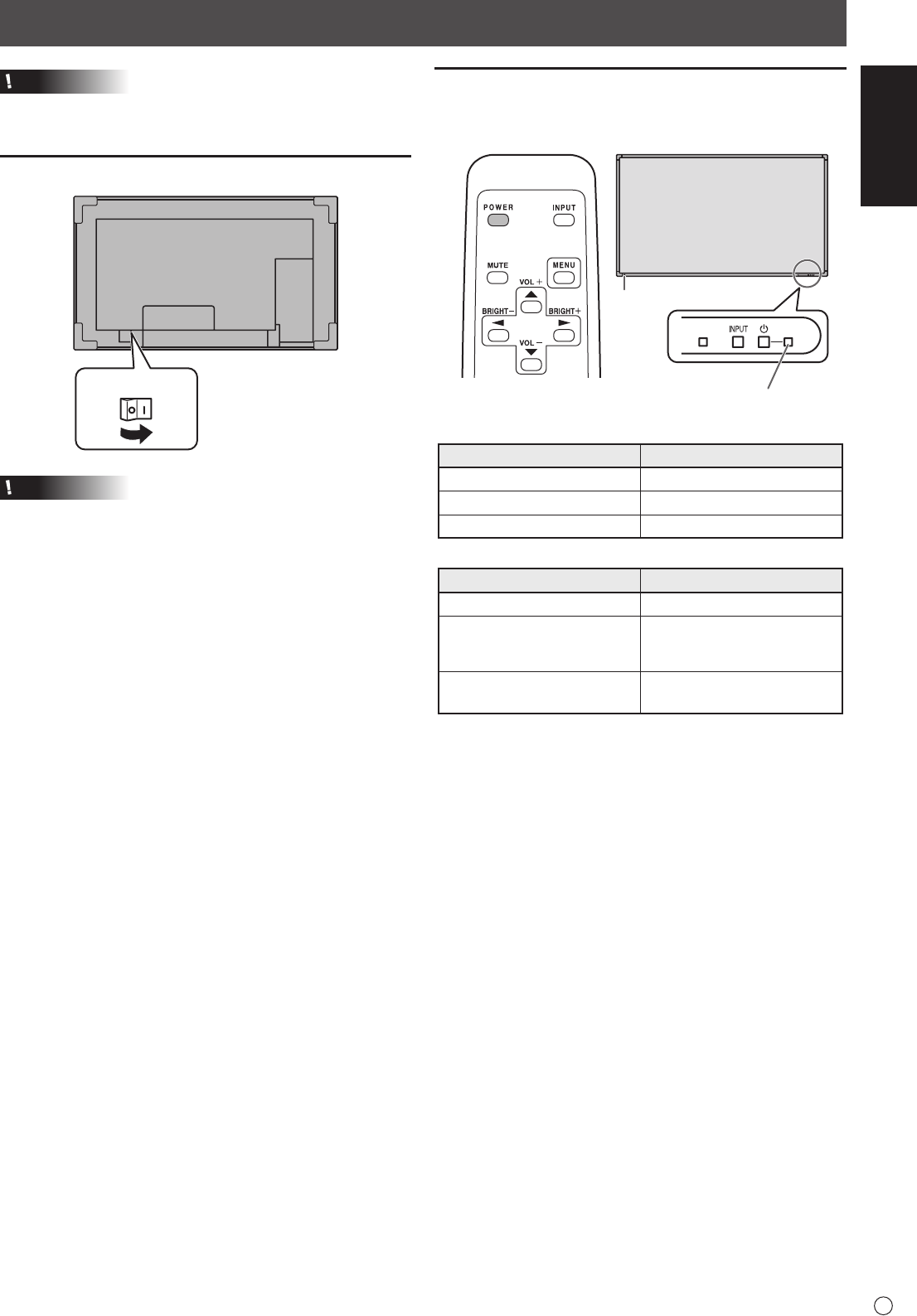
- Turning Power On/Off 10
- Table des matières 11
- INFORMATION IMPORTANTE 11
- CHER CLIENT 11
- PRÉCAUTIONS DE SÉCURITÉ 12
- MESURES DE SÉCURITÉ 13
- PRÉCAUTIONS POUR LE MONTAGE 14
- Composants fournis 15
- Fixation du porte-accessoires 15
- Connexions 16
- FRANÇAIS 17
- Mise sous/hors tension 17
- Réglage de la date/heure 18
- ESTIMADO CLIENTE DE SHARP 19
- INFORMACIÓN IMPORTANTE 19
- PRECAUCIONES DE SEGURIDAD 20
- INSTRUCCIONES DE SEGURIDAD 21
- PRECAUCIONES DE MONTAJE 22
- Colocación del soporte 23
- Componentes suministrados 23
- Conexiones 24
- Encendido/apagado 25
- Ajuste de fecha y hora 26
- Printed in China 28
- Imprimé en Chine 28
- Impreso en China 28
- 10J KS2 28
- TINSE1181MPZZ(2) 28
Related products and manuals for Flat panel accessories Sharp PN-L601B


 (28 pages)
© 2020, manymanuals.com. All rights reserved. | 0.027 s |
 Manymanuals.com
 Manymanuals.de
 Manymanuals.fr
 Manymanuals.it
 Manymanuals.pl
 Manymanuals.cz
 Manymanuals.es
 Manymanuals-pt.com
Comments to this Manuals