Sharp LC-28HM2 Specifications Page 10

  • Download
  • Add to my manuals
  • Print
  • Page
    / 28
  • Table of contents
  • BOOKMARKS
  • Rated. / 5. Based on customer reviews
Page view 9
10 ExtroNews 12.2 March/April 2001
Scenario: You have a presentation in a
ballroom, and you need to send the high
resolution cameras feed to TV monitors in a
press room on a different floor of the
conference center. Whats the best way to do
that?
Solution: Convert the component video
to composite video for transmission over the
long cable run. Then use the Extron CVEQ1
to deliver the composite video signal to the
press room. If the press room has multiple
displays, then use a DA to run the signal to
the various displays in the room.
Applications
Rental and staging applications frequently
use a variety of signals, such as composite
video, S-video, component video, and/or
RGB. In this Rental & Staging Corner article,
we will focus on composite video runs.
Oftentimes, higher-resolution signals are
scan converted down to composite video
when quality isnt as important for certain
displays, or when the destinations dont
accept higher resolution signals, e.g. delay
monitors or TVs in overflow rooms at large-
venue presentations or events.
Another common example is when
devices are often placed behind the stage
curtainno time or need to rack-mount all
the equipment. The CVEQ1 is small and
compact, so it can be situated anywhere and
easily movedfeatures that are especially
vital for rental and staging applications. The
RENTAL & STAGING CORNER
CVEQ1 can be placed near its source,
behind the scenes, without taking up a lot
of room. Top panel controls give A/V
technicians easy access to peaking/
equalization and gain adjustments for
reducing signal degradation. A power light
is great for troubleshooting; it lets you
know if a problem is caused by lack of
power or lack of signal. Plus, the CVEQ1 is
easy to hook upjust connect the cables
and (use a Tweeker to) equalize the signal.
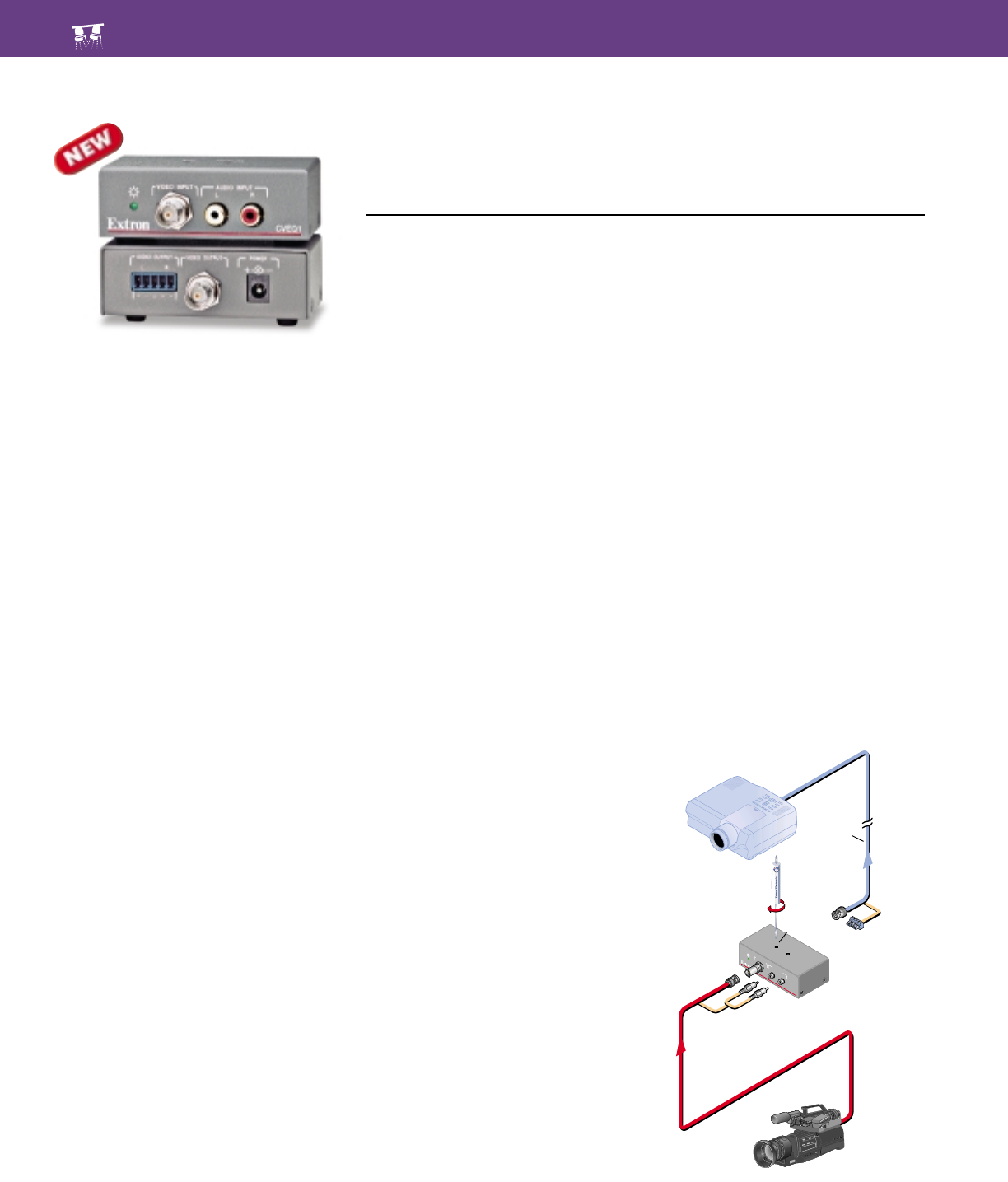
One CVEQ1 application is shown in
the diagram below. Such an application
CVEQ1 Gets the Line Driving Job Done
Discreetly
T
he CVEQ1 is a one input, one output, composite video and stereo audio line
driver with variable video gain and equalization capability. The CVEQ1 is
designed to compensate for signal attenuation and high frequency loss
encountered during a long cable run.
V
I
D
E
O
I
N
P
U
T
G
A
I
N
E
Q
U
A
L
I
Z
E
A
U
D
I
O
I
N
P
U
T
C
VEQ
1
L
R
CVEQ1
Audio
Audio
Projector
Camera
Gain
Up to
1,000'
Extron CVEQ1
Page view 9
1 2 ... 5 6 7 8 9 10 11 12 13 14 15 ... 27 28

Comments to this Manuals

No comments

Samsung LN32A330J1N podręczniki

Instrukcje obsługi i podręczniki użytkownika dla Odtwarzacze DVD Samsung LN32A330J1N.
Dostarczamy pdf podręczników Samsung LN32A330J1N do pobrania za darmo według typów dokumentów:


Więcej produktów i instrukcji dla Odtwarzacze DVD Samsung

Modele Rodzaj dokumentu
AH68-01959S Instrukcja Użytkownika   Samsung HT-TXQ120 User manual, 36 strony
DVD-C631P Instrukcja Użytkownika   Samsung DVD-C631P User manual, 24 strony
DVD-FP580 Instrukcja Użytkownika   Samsung DVD-FP580 User's Manual, 63 strony
DVD-HD931 Instrukcja Użytkownika   Samsung DVD-HD931 User manual, 26 strony
SP43T9 Instrukcja Użytkownika   Samsung SP-54T8HE User manual, 64 strony
DVD-HD870 Instrukcja Użytkownika   Samsung DVD-HD870 User manual, 64 strony
DVD-HD950 Instrukcja Użytkownika    Samsung DVD-HD950 User manual, 75 strony
DVD-HR725 Instrukcja Użytkownika   Samsung DVD-HR725 User manual, 135 strony
AK68-00102A Instrukcja Użytkownika   Samsung AK68-00102A User's Manual, 21 strony
DVD-HD845 Instrukcja Użytkownika   Samsung DVD-HD845 User's Manual, 62 strony
HT-TQ22 Instrukcja Użytkownika   Samsung HT-TQ22 User manual, 80 strony
DVD-V6500 Instrukcja Użytkownika   Samsung DVD-V6500K User manual, 54 strony
AH68-01008B Instrukcja Użytkownika   Samsung HT-DL200 User manual, 23 strony
SN-324 Instrukcja Użytkownika   Samsung SN-324 User's Manual, 5 strony
HT-TX75 Instrukcja Użytkownika   Samsung HT-TX75 User manual, 39 strony
DVD-V8080 Instrukcja Użytkownika   Samsung DVD-V8080 User's Manual, 34 strony
DVD-L300WDEU Instrukcja Użytkownika   Samsung DVD-L300WDEU User's Manual, 34 strony
DVD-R160 Instrukcja Użytkownika   Samsung DVD-R160 User's Manual, 83 strony
AH68-02293B Instrukcja Użytkownika   Samsung HT-C350 User manual, 39 strony
DVD-R155 Instrukcja Użytkownika   Samsung DVD-R155 User's Manual, 75 strony