Sharp MX-M260 User Manual Page 91
- Page / 160
- Table of contents
- BOOKMARKS

- Con el RSPF 1
- CONTENIDO 3
- 5 AJUSTES SISTEMA (GENERALES) 4
- 9 APÉNDICE 5
- PRECAUCIONES 6
- INFORMACIÓN SOBRE EL LÁSER 7
- CÓMO UTILIZAR EL MANUAL 8
- (sistema anglosajón) 9
- FUNCIONES PRINCIPALES 10
- ANTES DE UTILIZAR LA MÁQUINA 11
- Interior 12
- PANEL DE MANDO 13
- PANEL TÁCTIL 14
- ENCENDIDO Y APAGADO 16
- REGLAJE DE FÁBRICA 17
- MODOS DE AHORRO ENERGÉTICO 17
- CARGA DE PAPEL 18
- Papeles especiales 19
- ESTADO TRABAJO 22
- AJUSTES SISTEMA 22
- Desde la tecla [SELEC. PAPEL] 23
- FUNCIONES DE COPIA 24
- COPIADO NORMAL 25
- EXPOSICIÓ 26
- SELEC. PA 26
- RATIO DE 26
- Cristal de documentos y RSPF 27
- () para 28
- (-10 10) 29
- COPIADO A DOS CARAS 30
- AUTOMÁTICO 30
- CÓMO UTILIZAR EL RSPF 31
- AJUSTE DE LA EXPOSICIÓN 32
- REDUCCIÓN/AMPLIACIÓN/ZOOM 33
- SELECCIÓN DE RELACIÓN MANUAL 34
- (Copiado ZOOM XY) 35
- AUTO. A4 36
- SELEC. PAPEL 36
- X-50% Y-70% 36
- EXPOSICIÓN 36
- INTERRUPCIÓN DE UNA TAREA DE 37
- FUNCIONES DE ACABADO DE 38
- READ-END 39
- ORDENAR GRAPAS 40
- MODOS ESPECIALES 42
- FUNCIONES ESPECIALES 43
- DERECHO IZQUIERDO ABAJO 44
- BORRAR COPIA 45
- COPIA A DOBLE PÁG 46
- COPIA DE FOLLETO 47
- MODO DE CREACIÓN TRABAJOS 48
- MULTICOPIA 49
- TAMAÑO ORIGINAL 50
- COPIA DE CUBIERTA 51
- IMPRIMIR EN LA TAPA? 52
- COPIA REVERSO B/N 53
- ORIGINAL 54
- PERF. TARJETA 54
- ACERCA DE LA FUNCIÓN DE 57
- LA FUNCIÓN DE ESCÁNER DE RED 58
- ACCEDER A LAS PÁGINAS WEB 58
- ACERCA DE LA PÁGINA WEB 59
- SMTP Y DEL SERVIDOR DNS 61
- PROGRAMAR NOMBRES DE ÍNDICES 63
- PERSONALIZADOS 63
- Haga clic aquí 64
- (Escanear a E-mail) 69
- DIRECC.] (p.74) 72
- ARCHIVO ] (p.81) 72
- Escanear a E-mail 73
- Escanear a FTP 73
- Escanear a escritorio 73
- ENVIAR UNA IMAGEN 74
- Cómo utilizar el RSPF 75
- DIRECC.] 76
- DIRECC.] y 76
- GLOBAL DE 77
- Folleto Bloc 78
- IGINAL 79
- [READ-END] 79
- OPCIONES DE ESCANEADO 80
- SELECCIONAR LA CALIDAD 81
- SELECCIONAR LA RESOLUCIÓN 82
- MMR (G4) 83
- CAMBIAR LAS OPCIONES DE ENVÍO 84
- CANCELAR UNA TRANSMISIÓN DE 85
- CORREO ELECTRÓNICO/FTP 85
- GENERACIÓN DE METADATOS 86
- (INTRODUCCIÓN DE DATOS) 86
- PREPARACIONES PARA EL ENVÍO 87
- DE METADATOS 87
- ENVÍO DE METADATOS 88
- Toque la tecla [OK] 89
- CAMPOS DE METADATOS 90
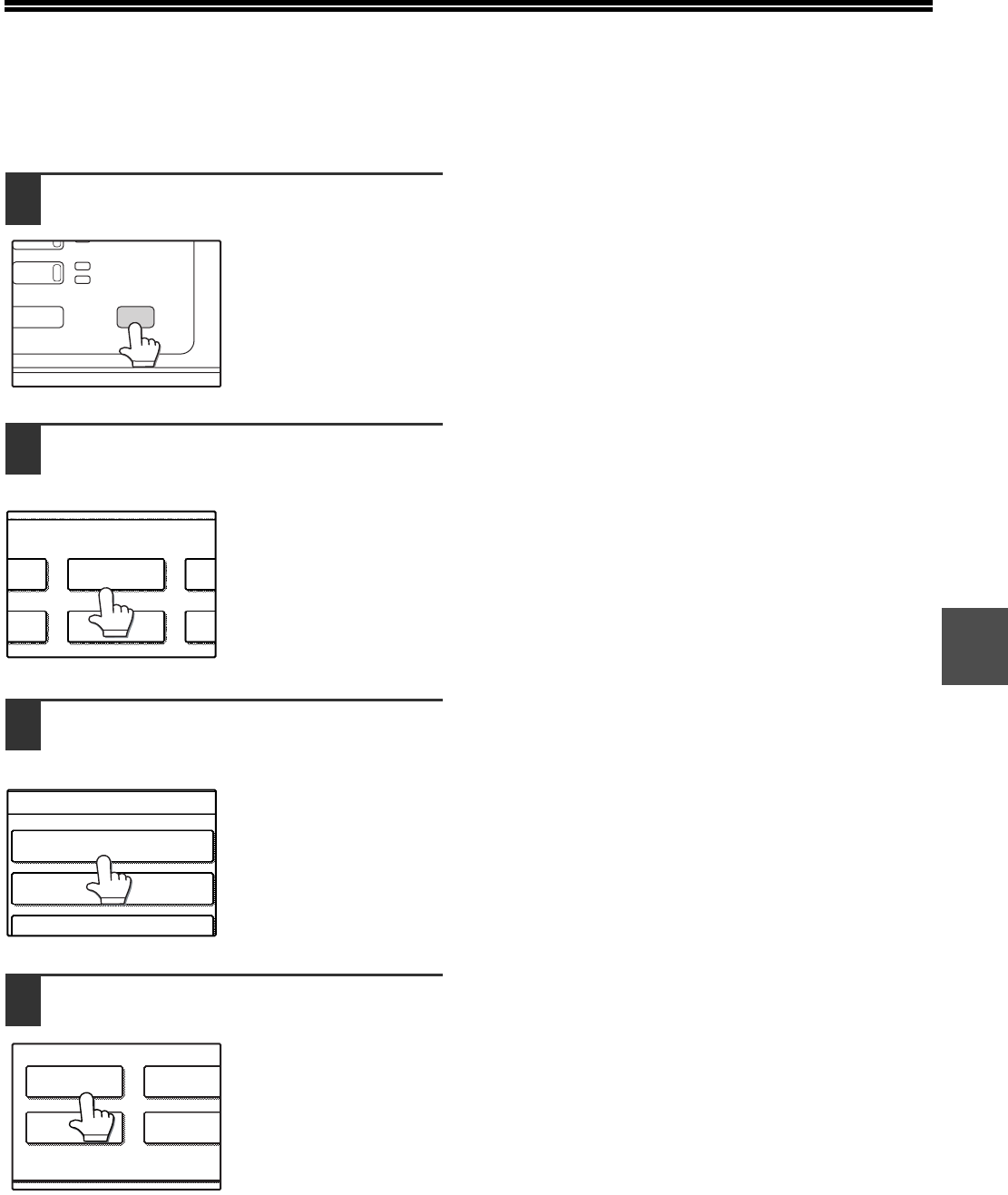
- COMPROBAR LA DIRECCIÓN IP 91
- (GENERALES) 92
- MEMORIA DEL PROGRAMA DE 95
- MEMORIZADO 96
- PROPÓSITO DE LOS AJUSTES DEL 98
- PROGRAMACIÓN DE UNA 98
- CONTRASEÑA DE 98
- USO DE LOS AJUSTES DEL 99
- (1 999) 100
- LISTA DE AJUSTES DEL 101
- ADMINISTRADOR 101
- PROGRAMAS PARA EL MODO 102
- IMPRESIÓN 102
- Nivel 1 Nivel 2 Nivel 3 103
- TOTAL DE PÁGINAS POR CUENTA 105
- RESTABLECER CUENTA 105
- MODO DE AUDITORÍA 105
- CONTROL NÚMEROS DE CUENTA 106
- AJUSTE DE LÍMITE DE CUENTA 106
- CANCELAR TRABAJOS CUENTAS NO 106
- AHORRO DE ENERGÍA 107
- CONFIGURACIÓN DE 108
- OPERACIONES 108
- CONTROL DE 109
- DISPOSITIVOS 109
- CONFIGURACIONESDEL SISTEMA 110
- CONFIGURACION DE SEGURIDAD 110
- AJUSTES SSL 110
- ACTIVAR IPsec 110
- DE EXPANSIÓN PARA 111
- IMPRESORA) 111
- PROGRAMAS PARA EL MODO COPIA 112
- CONFIGURACIÓN DE LA INTERFAZ 114
- CONFIGURACIÓN DE RED 115
- INICIALIZAR Y/O MEMORIZAR 116
- CONFIGURACIÓN 116
- ESCÁNER DE RED 117
- SOLUCIÓN DE PROBLEMAS 118
- Y MANTENIMIENTO 118
- MENSAJES EN EL DISPLAY 119
- RESOLUCIÓN DE PROBLEMAS 121
- PROBLEMAS AL UTILIZAR LA 125
- FUNCIÓN DE ESCÁNER DE RED 125
- Precaución 126
- DEVUELTO 128
- A E-MAIL 128
- RETIRADA DE UN ATASCO DE 129
- ATASCO EN EL RSPF 130
- ATASCO EN LA MÁQUINA 131
- Palancas de liberación de 132
- ATASCO EN LA BANDEJA CENTRAL 133
- ATASCO EN LA BANDEJA DERECHA 134
- Palanca de desbloqueo 136
- SUSTITUCIÓN DEL CARTUCHO DE 137
- Retirada de atascos de grapas 138
- VERIFICACIÓN DEL NIVEL DE 139
- TONER Y TOTALIZADOR 139
- LIMPIEZA DE LA MÁQUINA 139
- Líneas negras 140
- Líneas blanca 140
- DISPOSITIVOS PERIFÉRICOS 141
- Y SUMINISTROS 141
- FINALIZADOR (MX-FN13) 142
- Nombres de las piezas 143
- Especificaciones 143
- APÉNDICE 145
- Área que puede 147
- Márgenes 147
- ÍNDICE DE FUNCIONES 152
- Marcas registradas 154
- PARA EL ADMINISTRADOR DE 156
- LA MÁQUINA 156
- Conectores 158
- LASER PRODUCT 158
- LASER KLASSE 1 158
- IMPRESO EN FRANCIA 160
Related products and manuals for Multifunctionals Sharp MX-M260
 (12 pages)
(30 pages)
(50 pages)
(12 pages)
(12 pages)
(30 pages)
(50 pages)

 (165 pages)
(201 pages)
(12 pages)
(12 pages)
(178 pages)
(12 pages)
(116 pages)
(116 pages)
(165 pages)
(201 pages)
(12 pages)
(12 pages)
(178 pages)
(12 pages)
(116 pages)
(116 pages)
 (20 pages)
© 2020, manymanuals.com. All rights reserved. | 0.021 s |
 Manymanuals.com
 Manymanuals.de
 Manymanuals.fr
 Manymanuals.it
 Manymanuals.pl
 Manymanuals.cz
 Manymanuals.es
 Manymanuals-pt.com
Comments to this Manuals