Sharp R-610D User's Guide
Browse online or download User's Guide for IP phones Sharp R-610D. Sharp R-610D User`s guide User Manual
- Page / 79
- Table of contents
- TROUBLESHOOTING
- BOOKMARKS

- ■ Operating elements 2
- Aastra 610d 3 3
- ■ Display symbols 4
- Aastra 610d 5 5
- Aastra 610d 6
- System Information 7
- Security 10
- Security 11
- 12 Aastra 610d 12
- Dialling and Phoning 13
- Answering Calls 14
- Making calls 15
- Dialling and Phoning 17
- Using the Display and 18
- Operating Elements 18
- ■ Pressing a Key 19
- ■ Softkey 19
- ■ Digit keys 20
- ■ Enters digits 20
- ■ Enter the letters 20
- ■ Correcting your Input 21
- ■ Moving the Cursor 21
- Menu-Guided Navigation 22
- ■ Enabling/disabling function 23
- ■ LED indicator signals 23
- Supplementary features 24
- Making and answering calls 25
- ■ Dialling with Redial 27
- Supplementary features 29
- Personalizing Your Phone 44
- Personalizing Your Phone 45
- Display settings 49
- Setting the volume 50
- Profile settings 51
- General settings 53
- Protection settings 58
- Configuring Voice Mail 61
- Configuring keys 62
- Formulating Functions 64
- Installation and 65
- Equipment provided 66
- Connecting a cordless phone 67
- ■ Inserting the battery 68
- ■ Charging the battery 68
- Carry clip or swivel clip 69
- Carry strap 69
- Logging your phone on 70
- Further information 71
- Troubleshooting 72
- Further information 73
- Technical Data 74
- Aastra 610d 77 77
- Declaration of Conformity 79
Summary of Contents
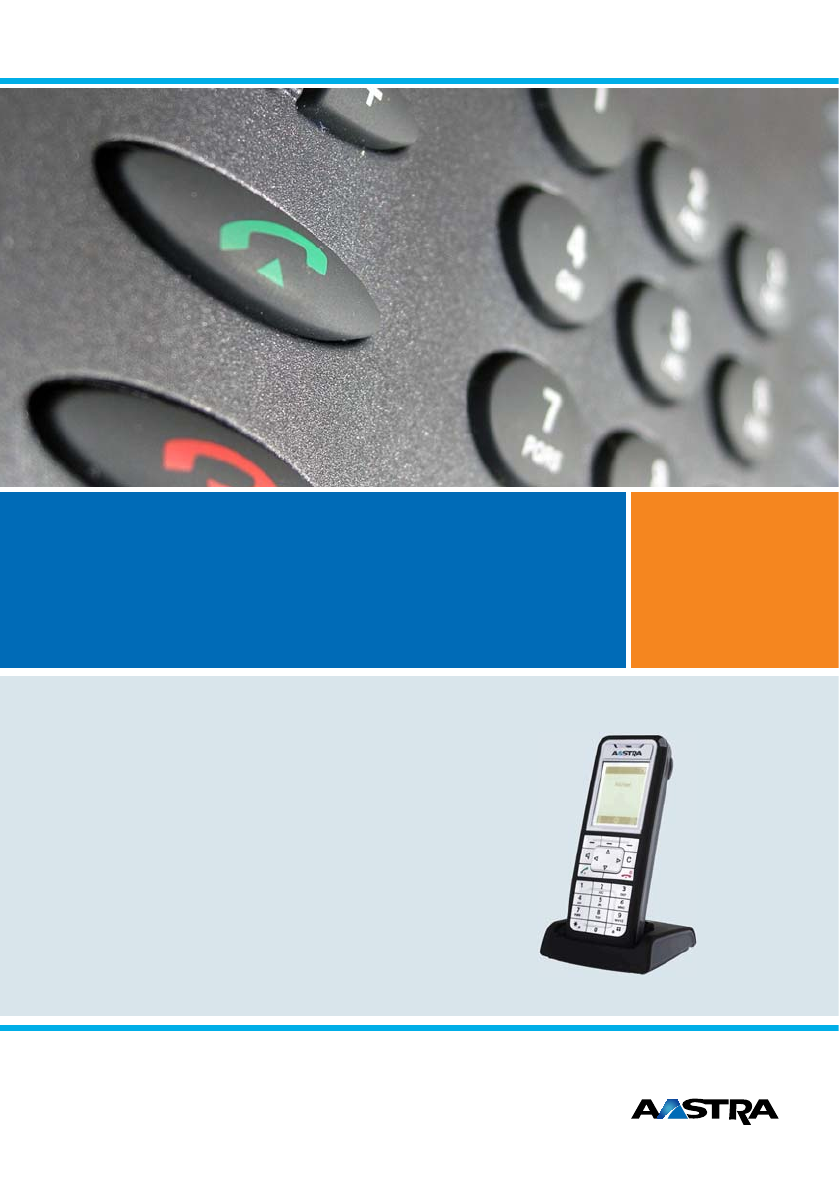
A150A300202520452065A150A300202520452065Ascotel® IntelliGate® Communications SystemsAastra 610dUser’s Guide
Security eud-1093/1.1 – I7.9 – 09.200910 Aastra 610d User informationYour terminal has been supplied with a Quick User’s Guide, safety information an
Securityeud-1093/1.1 – I7.9 – 09.2009Aastra 610d 11 Trademarks The designations used in this document for software and hardware are registered trade
eud-1093/1.1 – I7.9 – 09.200912 Aastra 610dDialling and Phoning . . . . . . . . . . . . . . . . . . . . . . . . . . . . . . . . . . . . . . . . .
eud-1093/1.1 – I7.9 – 09.2009Aastra 610d 13Dialling and Phoning The following sections explain how to make phone calls simply and the functions your p
Dialling and Phoning 14 Aastra 610deud-1093/1.1 – I7.9 – 09.2009Answering CallsThis section explains the procedure for answering a call. Answering a
Dialling and PhoningAastra 610d 15eud-1093/1.1 – I7.9 – 09.2009Making callsThis section explains the different ways you can make a call with your pho
Dialling and Phoning 16 Aastra 610deud-1093/1.1 – I7.9 – 09.2009 Using Your Phone in Hands-Free ModeYou want other people to join the conversation or
Dialling and PhoningAastra 610d 17eud-1093/1.1 – I7.9 – 09.2009 Using a HeadsetTo make a phone call with the headset.If you answer a call in headset
eud-1093/1.1 – I7.9 – 09.200918 Aastra 610dUsing the Display and Operating ElementsThe following sections explain how to operate your phone quickly a
Using the Display and Operating ElementsAastra 610d 19eud-1093/1.1 – I7.9 – 09.2009Keys Pressing a KeyA key may have various functions depending on
Operating and Display Elements eud-1093/1.1 – I7.9 – 09.20092 Aastra 610dOperating and Display Elements Operating and Display Elements Operating ele
Using the Display and Operating Elements 20 Aastra 610deud-1093/1.1 – I7.9 – 09.2009Input Digit keys The characters are assigned to the digit keys as
Using the Display and Operating ElementsAastra 610d 21eud-1093/1.1 – I7.9 – 09.2009 Switching between Upper and Lower Case You want to switch betwee
Using the Display and Operating Elements 22 Aastra 610deud-1093/1.1 – I7.9 – 09.2009Menu-Guided Navigation Accessing the menuThe phone is in standby
Using the Display and Operating ElementsAastra 610d 23eud-1093/1.1 – I7.9 – 09.2009 Enabling/disabling functionYou can enable or disable a function
eud-1093/1.1 – I7.9 – 09.200924 Aastra 610dSupplementary featuresThe following sections explain the supplementary features provided by your phone for
Supplementary featuresAastra 610d 25eud-1093/1.1 – I7.9 – 09.2009Making and answering callsThis section explains some convenient features provided by
Supplementary features 26 Aastra 610deud-1093/1.1 – I7.9 – 09.2009 Dialling from the phone book - Alpha searchYou want to search for a user directly
Supplementary featuresAastra 610d 27eud-1093/1.1 – I7.9 – 09.2009 Dialling from the Call List of Answered CallsYou want to call back someone whose c
Supplementary features 28 Aastra 610deud-1093/1.1 – I7.9 – 09.2009 Dialling with a configured softkeyYou want to call a user whose phone number is st
Supplementary featuresAastra 610d 29eud-1093/1.1 – I7.9 – 09.2009 To answer the callback requestSomeone has asked you to call back. The display show
Operating and Display Elementseud-1093/1.1 – I7.9 – 09.2009Aastra 610d 35Left softkey/foxkey short • Idle state•Menus• Call up complete menu• Execute
Supplementary features 30 Aastra 610deud-1093/1.1 – I7.9 – 09.2009 Answering Call WaitingYou are in a call and hear the call waiting tone. Another us
Supplementary featuresAastra 610d 31eud-1093/1.1 – I7.9 – 09.2009 Receiving an AnnouncementYour phone rings once and then automatically initiates th
Supplementary features 32 Aastra 610deud-1093/1.1 – I7.9 – 09.2009Using functions while in a callThis section explains the different options provided
Supplementary featuresAastra 610d 33eud-1093/1.1 – I7.9 – 09.2009 Making a Conference CallYou are in a call and have a call party on hold at the sam
Supplementary features 34 Aastra 610deud-1093/1.1 – I7.9 – 09.2009 Parking a Call PartnerYou want to put your call partner on hold without using a ph
Supplementary featuresAastra 610d 35eud-1093/1.1 – I7.9 – 09.2009 Forwarding calls (Forwarding on No Reply)You want calls that you receive on your p
Supplementary features 36 Aastra 610deud-1093/1.1 – I7.9 – 09.2009 Forwarding to Voice MailYou cannot momentarily be reached on your phone. If you fo
Supplementary featuresAastra 610d 37eud-1093/1.1 – I7.9 – 09.2009Functions for special situationsThis section explains the different options provided
Supplementary features 38 Aastra 610deud-1093/1.1 – I7.9 – 09.2009 Listening to Voice MailYour display shows Voice Mail from and the LED indicator is
Supplementary featuresAastra 610d 39eud-1093/1.1 – I7.9 – 09.2009 Reading text messagesYour display shows New message received and the envelope symb
Operating and Display Elements eud-1093/1.1 – I7.9 – 09.20094 Aastra 610d Display symbols11 Key block short • Idle state•Editor• Digit input• Charac
Supplementary features 40 Aastra 610deud-1093/1.1 – I7.9 – 09.2009 Making a call on a third-party phoneYou want to make a call on a third-party phone
Supplementary featuresAastra 610d 41eud-1093/1.1 – I7.9 – 09.2009 Suppressing your call number from your called party's phone displayYou do not
Supplementary features 42 Aastra 610deud-1093/1.1 – I7.9 – 09.2009 Activating personal call routingYou wan to specify which of your phones shall ring
Supplementary featuresAastra 610d 43eud-1093/1.1 – I7.9 – 09.2009 Activating Ring aloneYou want to specify which of your phones shall acoustically r
eud-1093/1.1 – I7.9 – 09.200944 Aastra 610dPersonalizing Your PhoneThese sections explain how to adapt the phone’s basic settings to suit your person
Personalizing Your PhoneAastra 610d 45eud-1093/1.1 – I7.9 – 09.2009Configuring cordless phone functionsThis section explains the procedure for making
Personalizing Your Phone 46 Aastra 610deud-1093/1.1 – I7.9 – 09.2009 Locking your phoneYou need to leave your desk and want to ensure that no-one can
Personalizing Your PhoneAastra 610d 47eud-1093/1.1 – I7.9 – 09.2009 Activating range alarm and system busy beepYou want to set the system parameters
Personalizing Your Phone 48 Aastra 610deud-1093/1.1 – I7.9 – 09.2009 Logging a cordless phone on/offSee (also) the Chapter "Managing communicati
Personalizing Your PhoneAastra 610d 49eud-1093/1.1 – I7.9 – 09.2009Display settingsThis section explains how to set display properties. Setting the
Operating and Display Elementseud-1093/1.1 – I7.9 – 09.2009Aastra 610d 5Notes:• If the battery is completely discharged when the phone is placed in t
Personalizing Your Phone 50 Aastra 610deud-1093/1.1 – I7.9 – 09.2009 Setting the LED indicatorYou can activate or deactivate the following settings:•
Personalizing Your PhoneAastra 610d 51eud-1093/1.1 – I7.9 – 09.2009Profile settingsThere are five different application profiles to adapt the phones
Personalizing Your Phone 52 Aastra 610deud-1093/1.1 – I7.9 – 09.2009 Activate profileIn your everyday phoning habits you want to adapt your phone’s r
Personalizing Your PhoneAastra 610d 53eud-1093/1.1 – I7.9 – 09.2009Hands-free and headset settingsThis section explains other ways in which you can m
Personalizing Your Phone 54 Aastra 610deud-1093/1.1 – I7.9 – 09.2009 Configuring the DTMF modeYou want to be able to use your phone to control other
Personalizing Your PhoneAastra 610d 55eud-1093/1.1 – I7.9 – 09.2009 Changing the Admin PINYou want for example to protect the alarm settings against
Personalizing Your Phone 56 Aastra 610deud-1093/1.1 – I7.9 – 09.2009 Entering display text for the idle stateYou want to change the text displayed by
Personalizing Your PhoneAastra 610d 57eud-1093/1.1 – I7.9 – 09.2009 Retrieving information on your phoneYour phone’s software-relevant data is store
Personalizing Your Phone 58 Aastra 610deud-1093/1.1 – I7.9 – 09.2009Protection settingsThis section explains how you can protect yourself against cert
Personalizing Your PhoneAastra 610d 59eud-1093/1.1 – I7.9 – 09.2009Managing your private contactsThis section explains how to manage your private con
Operating and Display Elements eud-1093/1.1 – I7.9 – 09.20096 Aastra 610dNot permittedPhone bookName Private phone numberBusiness phone number Mobile
Personalizing Your Phone 60 Aastra 610deud-1093/1.1 – I7.9 – 09.2009 Transferring a call number from the call list to the private contactsYou want to
Personalizing Your PhoneAastra 610d 61eud-1093/1.1 – I7.9 – 09.2009Configuring Voice MailThis section explains how to set your Voice Mail. Managing
Personalizing Your Phone 62 Aastra 610deud-1093/1.1 – I7.9 – 09.2009Configuring keysThis section explains how to assign phone numbers and functions to
Personalizing Your PhoneAastra 610d 63eud-1093/1.1 – I7.9 – 09.2009 Storing a function on a key – function keyYou want to retrieve a frequently use
Personalizing Your Phone 64 Aastra 610deud-1093/1.1 – I7.9 – 09.2009Formulating FunctionsThis section explains how to activate an individual function,
eud-1093/1.1 – I7.9 – 09.2009Aastra 610d 65Installation and commissioningThese sections explain the setup options available with your phone.Equipment
Installation and commissioning 66 Aastra 610deud-1093/1.1 – I7.9 – 09.2009Equipment providedOptionsCordless phone BatteryCharging bay and plug-in powe
Installation and commissioningAastra 610d 67eud-1093/1.1 – I7.9 – 09.2009Connecting a cordless phone Connecting the charging bayThe phone can be ope
Installation and commissioning 68 Aastra 610deud-1093/1.1 – I7.9 – 09.2009BatteryTake also note of the safety information on handling the battery set
Installation and commissioningAastra 610d 69eud-1093/1.1 – I7.9 – 09.2009Carry clip or swivel clip Fitting / removing the carry clip or swivel clipT
System Informationeud-1093/1.1 – I7.9 – 09.2009Aastra 610d 7System Infor mation Trial licencesTrial licences are available for various features and
Installation and commissioning 70 Aastra 610deud-1093/1.1 – I7.9 – 09.2009Logging your phone on Registering your phone on the systemYour system admin
eud-1093/1.1 – I7.9 – 09.2009Aastra 610d 71Further informationThe following sections contain more useful information about your phone.Troubleshooting
Further information 72 Aastra 610deud-1093/1.1 – I7.9 – 09.2009TroubleshootingThis section contains a few tips on how to operate your phone if you enc
Further informationAastra 610d 73eud-1093/1.1 – I7.9 – 09.2009System and software-related functionsYou want to activate a feature described in this U
Further information 74 Aastra 610deud-1093/1.1 – I7.9 – 09.2009Technical Data Operation Interfaces Battery charge and usage times Ambient condit
eud-1093/1.1 – I7.9 – 09.2009Aastra 610d 75%, *,+...*/# Procedures . . . . . . . . . . . . . . . . . . . . . . . . . . . . . . . 64AAccessing the me
eud-1093/1.1 – I7.9 – 09.200976 Aastra 610dHHands-free mode and Ringing tone (Safetyinformation) . . . . . . . . . . . . . . . . . . . . . . . . . .
eud-1093/1.1 – I7.9 – 09.2009Aastra 610d 77Supplementary features . . . . . . . . . . . . . . . . . . . . . . 24Suppressing your call number . . . .
eud-1093/1.1 – I7.9 – 09.200978 Aastra 610d
eud-1093/1.1 – I7.9 – 09.2009Declaration of ConformityAastra Technologies Limited hereby declares that the equipment Ascotel® IntelliGate® and the acc
Security eud-1093/1.1 – I7.9 – 09.20098 Aastra 610dSecurity Safety InformationFailure to observe this information can be hazardous and infringe exist
Securityeud-1093/1.1 – I7.9 – 09.2009Aastra 610d 9 Dealing with batteriesPlease observe the following rules and regulations when dealing with batter
© 2020, manymanuals.com. All rights reserved. | 0.023 s |
 Manymanuals.com
 Manymanuals.de
 Manymanuals.fr
 Manymanuals.it
 Manymanuals.pl
 Manymanuals.cz
 Manymanuals.es
 Manymanuals-pt.com
Comments to this Manuals