Sharp AL-1650 Specifications Page 31
- Page / 66
- Table of contents
- BOOKMARKS

- FOR YOUR PROTECTION 2
- 1 - 800 - BE-SHARP 2
- CONTENTS Page 3
- CAUTIONS 4
- MAIN FEATURES 5
- PART NAMES AND FUNCTIONS 6
- COPIER INSTALLATION 10
- CAUTIONS ON HANDLING 11
- CHECKING PACKED COMPONENTS 12
- AND ACCESSORIES 12
- GETTING STARTED 13
- Power on 14
- LOADING COPY PAPER 15
- Turn the power switch on 18
- Adjust the copy density 18
- NORMAL COPYING 19
- Using the original table 20
- Automatic 22
- REDUCTION/ENLARGEMENT/ZOOM 23
- BYPASS FEED (special paper) 24
- MAKING COPIES 26
- Two-sided copying 26
- Original Copy 27
- MAKING COPIES XY zoom 28
- B/W REVERSE 29
- DUAL PAGE COPY 30
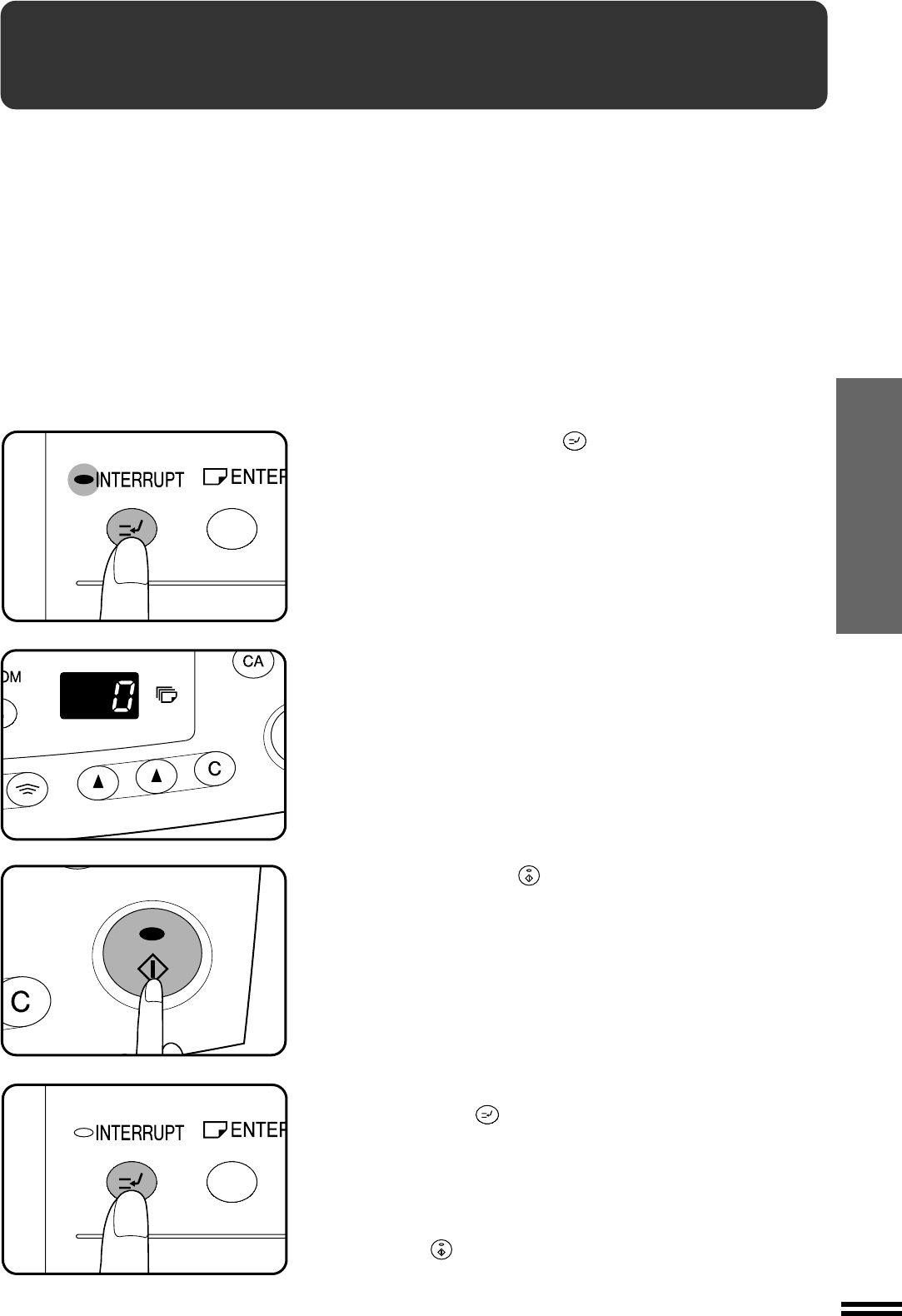
- Interrupting a copy run 31
- AUTOMATIC EXPOSURE ADJUSTMENT 32
- TONER SAVE MODE 33
- TD CARTRIDGE REPLACEMENT 34
- DRUM CARTRIDGE REPLACEMENT 36
- MISFEED REMOVAL 38
- Misfeed in the bypass tray 39
- Misfeed in the copier 39
- Fusing unit release lever 41
- USER PROGRAMS 44
- POWER SAVE MODES 46
- Setting the power save modes 47
- Copying from the preheat mode 47
- USER MAINTENANCE 48
- Charger 49
- COPIER TROUBLE? 50
- Self-diagnostic function 51
- SUPPLIES 52
- Genuine supplies statement 53
- GENUINE SUPPLIES 53
- Proper storage 53
- GENERAL INFORMATION 54
- Moving instructions 54
- TD cartridge lock 54
- SPECIFICATIONS 55
- SINGLE PASS FEEDER 56
- MATERIAL SAFETY DATA SHEET 59
- WARNING: 65
- SHARP CORPORATION 66
Related products and manuals for Copiers Sharp AL-1650
 (26 pages)
 (72 pages)
 (2 pages)
(74 pages)
(12 pages)
(82 pages)
(44 pages)
(107 pages)
(36 pages)
(9 pages)
(170 pages)
(2 pages)
(5 pages)
(2 pages)
(74 pages)
(12 pages)
(82 pages)
(44 pages)
(107 pages)
(36 pages)
(9 pages)
(170 pages)
(2 pages)
(5 pages)
 (88 pages)
(34 pages)
(1 pages)
(181 pages)
(12 pages)
(5 pages)
(88 pages)
(34 pages)
(1 pages)
(181 pages)
(12 pages)
(5 pages)
© 2020, manymanuals.com. All rights reserved. | 0.029 s |
 Manymanuals.com
 Manymanuals.de
 Manymanuals.fr
 Manymanuals.it
 Manymanuals.pl
 Manymanuals.cz
 Manymanuals.es
 Manymanuals-pt.com
Comments to this Manuals