Sharp VL-WD450S Specifications Page 74
- Page / 112
- Table of contents
- BOOKMARKS

- SHARP CORPORATION 1
- OPERATION MANUAL 3
- Quick Operation Guide 4
- Card slot cover 5
- Contact area 5
- Chipped corner 5
- To stop playback 6
- Lock button 7
- LCD monitor OPEN 7
- Selection Frame 7
- Supplied Accessories 8
- Optional Accessories 9
- Precautions 10
- Dew Formation 11
- Contents 13
- SmartMedia Card 15
- Features 15
- Operation References 16
- Left view 17
- Bottom view 17
- Right view 18
- Quick Reference List 19
- On-screen Display Index 20
- Warning Indicators 22
- MEMORY CARD 23
- NO DATA ON 23
- MEMORY CARD 23
- Preparation 24
- Attaching the Battery Pack 25
- Removing the Battery Pack 25
- Inserting a Cassette 27
- Removing a Cassette 27
- Setting the Language 29
- Changing the Language 29
- SETT ING 31
- 6 2002.2 31
- Adjusting the Dioptre 33
- Using the LCD Monitor 34
- 3 Hold down the Lock button 34
- Basic Operations 35
- Tips on Recording Positions 36
- Remaining Recording Time 37
- Remaining Battery Power 37
- About the S-video socket 39
- Video Search 40
- Useful Features 41
- Using the Controls 42
- Selecting the User Mode 43
- 1 Set the Media Selection 43
- AUD I O MODE 46
- DGTL ZOOM 47
- Gamma Brightness 48
- Compensation 48
- To obtain a brighter picture 49
- Night Recording (Super Cat’s 50
- QK. RETURN 51
- Camera Recording 52
- Setting Fade Mode 52
- Using Fade Mode 52
- To cancel Fade mode 53
- To use Fade Out only 53
- To return to normal screen 53
- OFFEFF.SNAP 54
- PHOTO SNAP ST I LL 54
- PHOTO SHOT 55
- EFF.SNAP 55
- AUTOAUTO 56
- Letting the Subject Monitor 57
- Operating the Remote Control 59
- 0 00 10 20TC 61
- TC0 05:35: 61
- Advanced Features 62
- 8 Press e 63
- Recommended Shutter Speeds 65
- SET MENU DI SPLAY 67
- WH I T E BA L 67
- PIC. EFFECT 68
- SCENE MENU 69
- ZOOM MI C 70
- Type of Confirmation Sound 71
- Settings 71
- Area Table 73
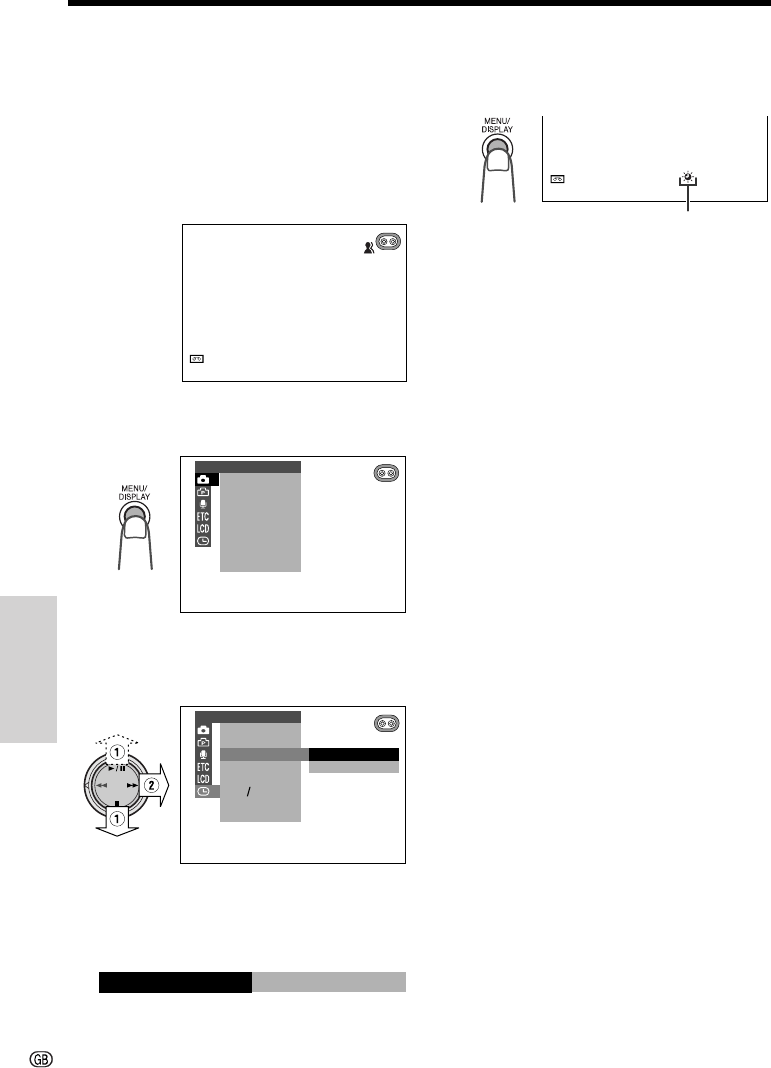
- SUMR T I ME 74
- ULTI FRAME 76
- PB EFFECT 77
- VF BRI GHT 79
- LCD BRI GHT 79
- LCD COLOUR 79
- Playback 80
- Cutting Unwanted Sequences 80
- Editing with the DV Terminal 81
- (IEEE1394) 81
- Using the Software 83
- Opening the PDF Manual 83
- Printing the PDF Manual 83
- 12-bit audio recording 84
- 16-bit audio recording 84
- Audio Dubbing 85
- SmartMedia Card Features 87
- REC MODE 89
- Recording with the Self-timer 90
- SL I DE SHOWSL I DE SHOW 93
- Deleting All Stored Images 96
- Transferring the Data on a 97
- SmartMedia Card to a 97
- Computer 97
- About DPOF 98
- Print order indicator 99
- Appendix 100
- DV Technology 101
- Mini DV Cassette 102
- SmartMedia™ Card 103
- Battery Pack 104
- Using Your Camcorder Abroad 105
- AC Adapter/Battery Charger 105
- Cleaning 105
- D EMO MOD E 106
- Before Requesting Service 107
- Specifications 109
- VL-WD450S-CE1; 00/11/20/18:00 111
Related products and manuals for Camcorders Sharp VL-WD450S
 (129 pages)

 (129 pages)
 (72 pages)
(28 pages)
(80 pages)
(41 pages)
(140 pages)
(40 pages)
(29 pages)
(87 pages)
(72 pages)
(28 pages)
(80 pages)
(41 pages)
(140 pages)
(40 pages)
(29 pages)
(87 pages)
 (96 pages)
(53 pages)
(12 pages)
(97 pages)
(96 pages)
(53 pages)
(12 pages)
(97 pages)
 (113 pages)
(74 pages)
(91 pages)
(127 pages)
(19 pages)
(113 pages)
(74 pages)
(91 pages)
(127 pages)
(19 pages)
© 2020, manymanuals.com. All rights reserved. | 0.029 s |
 Manymanuals.com
 Manymanuals.de
 Manymanuals.fr
 Manymanuals.it
 Manymanuals.pl
 Manymanuals.cz
 Manymanuals.es
 Manymanuals-pt.com
Comments to this Manuals