Sharp LL1513D Datasheet
Browse online or download Datasheet for LED displays Sharp LL1513D. Sharp LL 151-3D - flat panel display - TFT - 15" User Manual
- Page / 148
- Table of contents
- BOOKMARKS

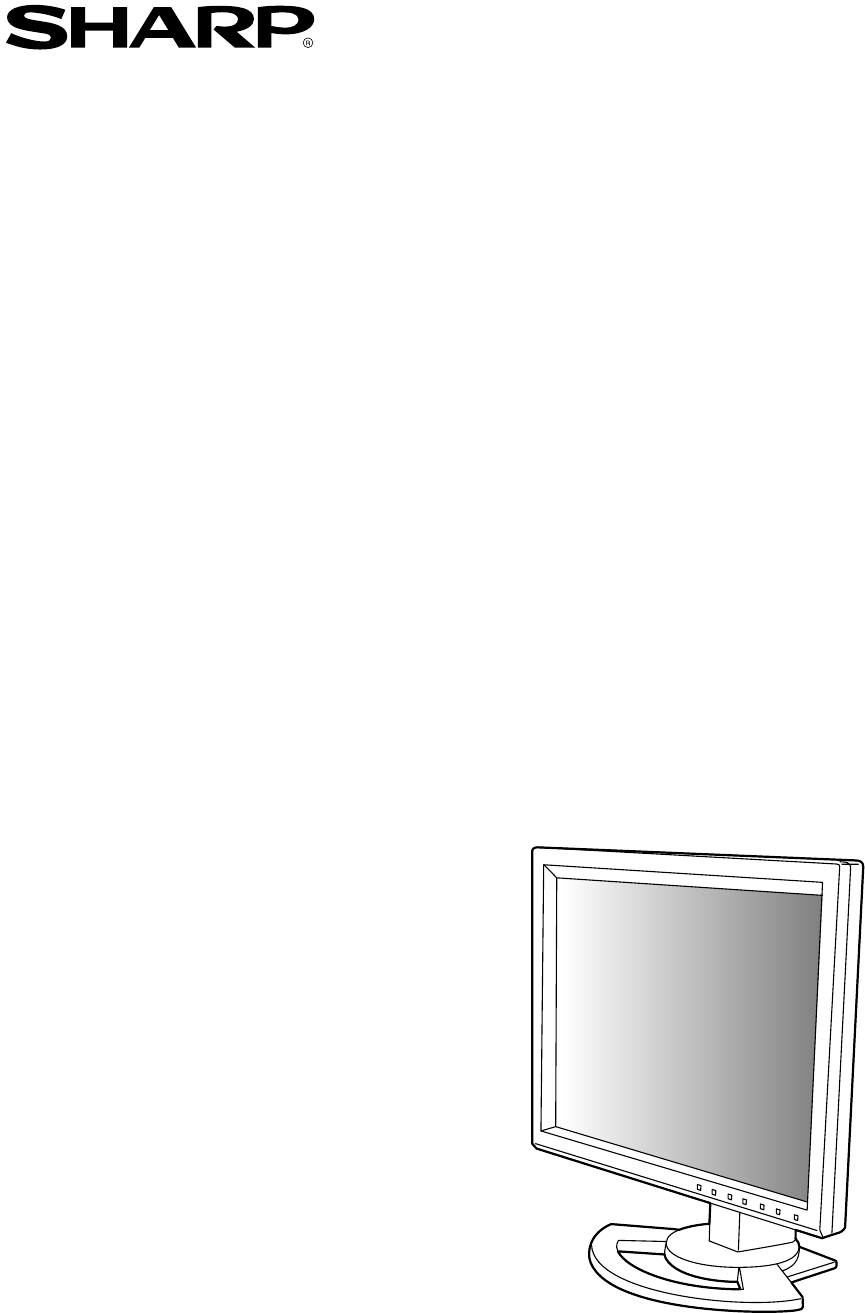
- LL-151-3D 1
- Notice for Users in the USA 3
- Notice for Users in Europe 4
- Notice for Users in the UK 5
- Notice for Users in Australia 5
- Table of Contents 7
- Tips and safety precautions 8
- Product description 10
- Angle adjustment 11
- Height adjustment 11
- Digital connection 13
- Analog connection 13
- Connection of headphones 14
- (commercially available) 14
- Turning the power on 15
- Turning the power off 15
- Adjusting the backlight 16
- Adjusting the speaker volume 16
- Adjusting the screen display 17
- Preparation for 3D display 21
- Displaying 3D images 23
- Monitor care 24
- Specifications 26
- Installing the ICC profile 32
- Inhaltsverzeichnis 35
- Produktbeschreibung 38
- Winkeleinstellung 39
- Höheneinstellung 39
- Ausschalten des Monitors 40
- Computer 41
- Anschluss von Kopfhörern 42
- (im Handel erhältlich) 42
- Stromquelle 42
- Einschalten des Monitors 43
- Einstellungssperrfunktion 44
- Menü ADJUSTMENT 46
- Menü WHITE BALANCE 47
- Menü GAIN CONTROL 47
- Menü MODE SELECT 48
- Parallaxenbarriere 49
- Rückbeleuchtung 49
- (Das Licht tritt nicht durch) 49
- Vorbereitung für 3D-Display 50
- Anzeige von 3D-Bildern 51
- Pflege des Monitors 52
- Technische Daten 54
- Installieren des ICC-Profils 60
- Verwendbare Arme oder Füße 62
- Table des matières 63
- Description du produit 66
- Réglage de l'inclinaison 67
- Réglage de la hauteur 67
- Raccordement du moniteur à un 69
- (en vente dans le commerce) 70
- Réglage du rétro-éclairage 72
- (avec un signal analogique) 73
- Menu ADJUSTMENT (AJUST) 74
- (EQUILIBRE DU BLANC) 75
- Menu GAIN CONTROL 75
- (CTRL. LUMINOSIT) 75
- Menu MODE SELECT 76
- (MODE SÉLECTION) 76
- (La lumière ne passe pas) 77
- Logiciel fourni 78
- Affichage des images 3D 79
- Entretien du moniteur 80
- Caractéristiques techniques 82
- Saisie de texte US 84
- Installation du profil ICC 88
- Descrizione del prodotto 94
- Regolazione dell'altezza 95
- e spegnimento del monitor 96
- Collegamento digitale 97
- Collegamento analogico 97
- Collegamento delle cuffie 98
- (da acquistare in commercio) 98
- Accensione 99
- Spegnimento 99
- Reset del menu ADJUSTMENT 100
- (REGOLAZIONE) 100
- 1024x768 H:48.3kHzV:60Hz 101
- Menu ADJUSTMENT (REGOL) 102
- Menu WHITE BALANCE 103
- (BILANCIAMENTO DEL BIANCO) 103
- (La luce non passa) 105
- Software fornito 106
- Posizione di osservazione 107
- Cura del monitor 108
- Specifiche 110
- Installazione del profilo ICC 116
- Descripción del producto 122
- Ajuste de ángulo 123
- Ajuste de altura 123
- Conexión digital 125
- Conexión analógica 125
- Conexión de auriculares 126
- (de venta en el comercio) 126
- Encendido 127
- Función de bloqueo de ajuste 128
- (ADJUSTMENT) 128
- Ajuste de la pantalla 129
- (No pasa la luz) 133
- Software entregado 134
- Posición de visualización 135
- Conservación del monitor 136
- Especificaciones 138
- Instalación del perfil ICC 144
- TINSM1060MPZZ 146
- SHARP CORPORATION 148
Summary of Contents
LCD MonitorLCD FarbmonitorMoniteur LCDMonitor LCDMonitor LCDLL-151-3DOPERATION MANUALBEDIENUNGSANLEITUNGMODE D'EMPLOIMANUALE D'USOMANUAL DE
1012 3 5 64779148101112131. MENU button ... This button is used to pop-up, select and close the OSD (On ScreenDisplay) Menu.2.
100Regolazione della visualizzazione sullo schermo e volume dell'altoparlanteFunzione del blocco di regolazioniDisattivando i tasti di controllo
101EnglishDeutschFrançaisItalianoEspañolEnglishRegolazione della visualizzazione sullo schermoRegolazione automatica dello schermo1.Premete il tasto M
102Menu ADJUSTMENT (REGOL)Quando il monitor è usato con un collegamentodigitale, questa impostazione del menu non ènecessaria.AUTOQuando [AUTO] è sele
103EnglishDeutschFrançaisItalianoEspañolEnglishRegolazione della visualizzazione sullo schermoMenu WHITE BALANCE(BILANCIAMENTO DEL BIANCO)COOL (freddo
104Menu MODE SELECT (SELEZ. MODO)Nota:- A seconda della risoluzione del segnale diinput, anche se si possono selezionare delleopzioni di menu, il disp
105EnglishDeutschFrançaisItalianoEspañolEnglishQuesto prodotto è un monitor LCD "3D-ready" chepermette che gli utenti vedano le immagini ed
106Software fornitoInstallare il seguente software dal CD-ROM fornitocome necessario dopo l'installazione del SHARPStereo Display.Nota:- Se si de
107EnglishDeutschFrançaisItalianoEspañolEnglishVisualizzazione delle immagini 3DAvvisi sulla visualizzazione delle immagini 3D- Impostare la risoluzio
108Cura del monitorCura del monitorQuando pulite il monitor, scollegate sempre laspina dalla presa di corrente alternata.Mobile e pannello di controll
109EnglishDeutschFrançaisItalianoEspañolEnglishCura del monitorL'immagine appare distorta.- La sincronizzazione del segnale del computercorrispon
11EnglishDeutschFrançaisItalianoEspañolEnglish CAUTION!- Be sure to hold both sides of the monitor whenadjusting the viewing angle. The LCD panelused
110SpecificheSpecifiche del prodottoNome del modelloLL-151-3DDisplay LCDModulo TFT 3D LCD di 38 cm misuratodiagonalmenteRisoluzione (max.)XGA 1024 x 7
111EnglishDeutschFrançaisItalianoEspañolEnglishSpecificheDimensioni (Unità: mm)35218537043029823864- Cavo segnale digitale: circa 2,0 m- Cavo segnale
112SpecificheSincronizzazioni rilevanti del segnale(analogico)- La risoluzione consigliata è 1024 x 768.- Tutti sono conformi solo al non interlacciam
113EnglishDeutschFrançaisItalianoEspañolEnglishGestione dell'energiaIl monitor è basato sulle norme VESA DPMS e DVIDMPM. Per attivare la funzione
114A seconda del computer oppure del sistemaoperativo può essere necessario usare ilcomputer per eseguire l'installazione delleinformazioni di se
115EnglishDeutschFrançaisItalianoEspañolEnglishInstallazione delle informazioni di setup e del profilo ICC (Per Windows) Per Windows MeInstallazione
116Installazione delle informazioni di setup e del profilo ICC (Per Windows)Installazione del profilo ICCInstallazione del profilo ICC del monitor. (S
117EnglishDeutschFrançaisItalianoEspañolEnglishInformazioni sul profilo ColorSync (Per MacOS)Il profilo ColorSyncColorSync è il sistema di gestione de
1184. Rimuovete le quattro viti e rimuovete quindi ilsupporto dal monitor.Note:- Il supporto è progettato appositamente perquesto monitor. Quando vien
119EnglishDeutschFrançaisItalianoEspañolEnglishÍndiceSugerencias y precauciones de seguridad . . . . . . . . . . . . . . . . . . . . . . . . . . .
12 CAUTION!- When connecting, ensure that both the monitorand computer are switched off.- Be careful not to over bend the cable or addextension cords
120Sugerencias y precauciones de seguridad- El panel LCD en color TFT utilizado en estemonitor ha sido fabricado aplicando unatecnología de alta preci
121EnglishDeutschFrançaisItalianoEspañolEnglishEl cable de alimentación- No deteriore el cable de alimentación nicoloque objetos pesados sobre el mism
12212 3 5 64779148101112131. Botón MENU ... Este botón se utiliza para ampliar, seleccionar y cerrar el menú OSD(On Screen Di
123EnglishDeutschFrançaisItalianoEspañolEnglish ¡PRECAUCIÓN!- Asegúrese de sostener ambos lados del monitoral ajustar el ángulo de visión. El panel LC
124 ¡PRECAUCIÓN!- Antes de realizar la conexión, asegúrese de quetanto el monitor como el ordenador estánapagados.- Tenga cuidado de no doblar excesiv
125EnglishDeutschFrançaisItalianoEspañolEnglishConexión del monitor a un ordenadorConexión digitalConecte el cable de señal digital accesoria en elbor
126Conecte el cable de audio suministradoCuando el cable de audio suministrado seconecte al borne de salida de audio delordenador, el sonido del orden
127EnglishDeutschFrançaisItalianoEspañolEnglishConexión del monitor y encendido/apagado del mismoEncendido1.Pulse el botón de encendido/apagado delmon
128Ajuste de la pantalla y volumen del altavozFunción de bloqueo de ajusteSi deshabilita los botones de control (es decir,activa el bloqueo) no podrá
129EnglishDeutschFrançaisItalianoEspañolEnglishAjuste de la pantallaAjuste automático de la pantalla1. Pulse el botón MENU.Aparecerá el menú ADJUSTMEN
13EnglishDeutschFrançaisItalianoEspañolEnglishConnecting the monitor to a computerDigital connectionConnect the supplied digital signal cable to thedi
130Menú ADJUSTMENTCuando se utiliza el monitor con una conexióndigital, no es necesario este ajuste de menú.AUTOCuando se selecciona [AUTO] con el bot
131EnglishDeutschFrançaisItalianoEspañolEnglishAjuste de la pantallaMenú WHITE BALANCECOOL ... Tonalidad más azul que la estándar • ... Tonal
132Menú MODE SELECTNota:- Según sea la resolución de la señal de entrada,la pantalla puede no cambiar incluso si puedenseleccionarse las opciones del
133EnglishDeutschFrançaisItalianoEspañolEnglishEste producto es un monitor LCD preparado paratridimensional que permite que los usuariospuedan ver imá
134Software entregadoEs necesario instalar el siguiente software del CD-ROM entregado después de instalar el SHARPStereo Display.Nota:- Si desea insta
135EnglishDeutschFrançaisItalianoEspañolEnglishMostrando imágenes tridimensionalesAdvertencias acerca de la aparición deimágenes tridimensionales- Aju
136Conservación del monitorConservación del monitorDesenchufe siempre la clavija de la toma decorriente alterna antes de limpiar el monitor.Caja y sec
137EnglishDeutschFrançaisItalianoEspañolEnglishNo sale ningún sonido de los altavoces.- ¿Está conectado correctamente el cable deaudio? (p.126)- Lleve
138EspecificacionesEspecificaciones del productoNombre del modeloLL-151-3DDisplay LCDMódulo LCD tridimensional TFT con medicióndiagonal de 38 cmResolu
139EnglishDeutschFrançaisItalianoEspañolEnglishEspecificacionesDimensiones (Unidades: mm)35218537043029823864- Cable de señal digital: aprox. 2,0 m- C
14Connect the supplied audio cableWhen the supplied audio cable is connected to theaudio output terminal of the computer, the soundof the connected co
140EspecificacionesSincronizaciones de las señalescorrespondientes (analógica)- La resolución recomendada es de 1024 x 768.- Todos son compatibles úni
141EnglishDeutschFrançaisItalianoEspañolEnglishGestión de energíaEl monitor está basado en los estándares VESADPMS y DVI DMPM. Para activar la función
142Instalación de la información de configuración ydel perfil ICC (Para Windows)Según sea el tipo de ordenador o de sistemaoperativo, puede que sea ne
143EnglishDeutschFrançaisItalianoEspañolEnglishInstalación de la información de configuración y del perfil ICC (Para Windows) Para Windows 2000Instala
144 Para Windows XPInstalación de la información de configuración delmonitor en Windows XP y configuración del perfilICC del monitor como valor predet
145EnglishDeutschFrançaisItalianoEspañolEnglishInformación acerca del perfil ColorSync (Para MacOS)Acerca del perfil ColorSyncColorSync es el sistema
146Notas:- El pedestal se ha diseñado específicamentepara este monitor. Una vez desmontado elpedestal, no trate de acoplarlo a ningún otroequipo.- Le
SHARP CORPORATIONPrinted in JapanGedruckt in JapanImprimé au JaponStampato in GiapponeImpreso en Japón04G DSC2TINSM1060MPZZ (2)
15EnglishDeutschFrançaisItalianoEspañolEnglishConnecting the monitor and turning the monitor on and offTurning the power on1.Press the monitor's
16Adjusting the screen display and speaker volumeAdjustment lock functionBy disabling the control buttons (i.e. setting thelock) any attempted changes
17EnglishDeutschFrançaisItalianoEspañolEnglishAdjusting the screen displayAdjusting the screen automatically1.Press the MENU button.The ADJUSTMENT Men
18ADJUSTMENT MenuWhen the monitor is used with a digital connection,this menu adjustment is not necessary.AUTOWhen [AUTO] is selected with the button
19EnglishDeutschFrançaisItalianoEspañolEnglishAdjusting the screen displayWHITE BALANCE MenuCOOL ... Color tone bluer than standard • ... Col
Table of Contents/Inhaltsverzeichnis/Table des matières/Indice/ÍndiceNotice for Users in the USA . . . . . . . . . . . . . . . . . . . . . . . . . . .
20MODE SELECT MenuNote:- Depending on the resolution of the input signal,even if menu options can be selected, thedisplay may not change.OSD H-POSITIO
21EnglishDeutschFrançaisItalianoEspañolEnglishThis product is a 3D-ready LCD monitor whichallows users to see stereoscopic images andvideos without us
22Preparation for 3D displaySHARP Smart Stereo Camera CalculatorSupported OS: Windows XP (English version)Operation in other language versions is notg
23EnglishDeutschFrançaisItalianoEspañolEnglishDisplaying 3D imagesNotices on displaying 3D images- Set the screen resolution to 1024 x 768.It is unab
24Monitor careMonitor careAlways remove the plug from the AC outlet whencleaning the monitor.Cabinet and control panel sectionUse a soft dry cloth to
25EnglishDeutschFrançaisItalianoEspañolEnglishMonitor careThe 3D image on the display appears blurredand doubled.- Confirm if the 3D display compatibl
26SpecificationsProduct specificationsModel nameLL-151-3DLCD display38 cm measured diagonally TFT 3D LCD moduleResolution (max.)XGA 1024 x 768 pixels
27EnglishDeutschFrançaisItalianoEspañolEnglishSpecificationsDimensions (Units: mm)35218537043029823864- Digital signal cable: approx. 2.0 m- Analog si
28SpecificationsRelevant signal timings (digital)- Recommended resolution is 1024 x 768.- All are compliant only with non-interlaced.- A computer with
29EnglishDeutschFrançaisItalianoEspañolEnglishPower managementThe monitor is based on the VESA DPMS and theDVI DMPM standards. To activate the powerma
3EnglishDeutschFrançaisItalianoEspañolEnglishNotice for Users in the USAFCC StatementWARNING – FCC Regulations state that any unauthorized changes or
30Installing set-up information and the ICC profile (For Windows)Depending on the type of computer or OS, youmay need to install the monitor set-up in
31EnglishDeutschFrançaisItalianoEspañolEnglishInstalling set-up information and the ICC profile (For Windows) For Windows 2000Installing monitor set-u
32 For Windows XPInstalling monitor set-up information into WindowsXP, and setting the monitor's ICC profile as apredetermined value.This explana
33EnglishDeutschFrançaisItalianoEspañolEnglishInformation about the ColorSync profile (For MacOS)About the ColorSync profileColorSync is Apple Compute
34Notes:- The stand is specially made for use with thismonitor. Once having removed the stand, neverattempt to attach it to another device.- Once havi
35EnglishDeutschFrançaisItalianoEspañolEnglishInhaltsverzeichnisTipp und Sicherheitsvorkehrungen . . . . . . . . . . . . . . . . . . . . . . . . . .
36Tipp und Sicherheitsvorkehrungen- Das TFT-Farb-LCD-Panel wurde unter Einsatzhochentwickelter Technologie gefertigt. Es jannjedoch vorkommen, dass an
37EnglishDeutschFrançaisItalianoEspañolEnglishDas Netzkabel- Beschädigen Sie das Netzkabel nicht, stellenSie keine schweren Gegenstände darauf, undübe
3812 3 5 64779148101112131. Taste MENU ... Mit dieser Taste öffnen, wählen und schließen Sie das OSD (OnScreen Display) -Men
39EnglishDeutschFrançaisItalianoEspañolEnglish ACHTUNG!- Achten Sie darauf, den Monitor beim Einstellendes Sichtwinkels immer an beiden Seiten zuhalt
4This equipment complies with the requirements of Directives 89/336/EEC and 73/23/EEC as amendedby 93/68/EEC.Dieses Gerät entspricht den Anforderungen
40 ACHTUNG!- Bevor Sie den Monitor anschließen, müssen Sieden Monitor und den Computer ausschalten.- Achten Sie darauf, dass Sie das Kabel nichtüberd
41EnglishDeutschFrançaisItalianoEspañolEnglishVerbinden des Monitors mit einemComputerDigitaler AnschlussSchließen Sie das als Zubehör mitgelieferteDi
42Schließen Sie das zusätzliche Audiokabel anWenn das zusätzliche Audiokabel amAudioausgangsanschluss des Computersangeschlossen wird, wird der Ton de
43EnglishDeutschFrançaisItalianoEspañolEnglishAnschließen des Monitors und Ein- und Ausschalten des MonitorsEinschalten des Monitors1. Drücken Sie den
44EinstellungssperrfunktionWenn Sie die Steuertasten deaktivieren (d. h. die Sperresetzen), können keine Werte eingestellt werden.1. Schalten Sie den
45EnglishDeutschFrançaisItalianoEspañolEnglishEinstellen der BildschirmanzeigeAutomatisches Einstellen des Bildschirms1.Drücken Sie die Taste MENU.Das
46Menü ADJUSTMENTWenn der Monitor mit einer digitalen Verbindungverwendet wird, ist dise Menüeinstellung nichtnötig.AUTOWenn [AUTO] mit der Taste ge
47EnglishDeutschFrançaisItalianoEspañolEnglishEinstellen der BildschirmanzeigeMenü WHITE BALANCECOOL ... Farbton mit stärkerem Blaustich alsnormal •
48Menü MODE SELECTHinweis:- Abhängig von der Auflösung desEingangssignals ändert sich die Anzeigeeventuell selbst dann nicht, wenn dieMenüoptionen aus
49EnglishDeutschFrançaisItalianoEspañolEnglishDieses Produkt ist ein 3D-geeigneter LCD-Monitor, der es dem Benutzer erlaubt,stereoskopische Bilder und
5EnglishDeutschFrançaisItalianoEspañolEnglishNotice for Users in the UKNotice for Users in AustraliaService InquiriesPlease contact your dealer for se
50Mitgelieferte SoftwareInstallieren Sie die folgende Software von dermitgelieferten CD-ROM nach Bedarf nach derInstallation von SHARP Stereo Display.
51EnglishDeutschFrançaisItalianoEspañolEnglishAnzeige von 3D-BildernHinweise zur Anzeige von 3D-Bildern- Stellen Sie die Bildschirmauflösung auf1024 x
52Pflege des MonitorsPflege des MonitorsZiehen Sie immer erst den Stecker aus derNetzsteckdose, bevor Sie Reinigungsarbeiten amMonitor ausführen.Gehäu
53EnglishDeutschFrançaisItalianoEspañolEnglishDas 3D-Bild im Display erscheintverschwommen und verdoppelt.- Bestätigen Sie, ob 3D-Display-kompatibleSo
54Technische DatenProduktspezifikationenModellbezeichnungLL-151-3DLCD-AnzeigeTFT 3D LCD-Modus mit 38 cmBildschirmdiagonaleAuflösung (max.)XGA 1024 x 7
55EnglishDeutschFrançaisItalianoEspañolEnglishTechnische DatenAbmessungen (Einheiten: mm)35218537043029823864- Digitalsignalkabel: ca. 2,0 m- Analogs
56Relevante Signaltakte (digital)- Die empfohlene Auflösung ist 1024 x 768.- Alle nur mit Non-Interlace.- Ein Computer mit einem Ausgangsanschlussgemä
57EnglishDeutschFrançaisItalianoEspañolEnglishTechnische DatenPinbelegung des DVI-I-Eingangssteckers(29-poliger DVI-I-Stecker)1 765432 89151413121110
58Installieren der Setup-Informationen und des ICC-Profils (Für Windows)Je nach dem verwendeten Computer oderBetriebssystem muss die Installation der
59EnglishDeutschFrançaisItalianoEspañolEnglishInstallieren der Setup-Informationen und des ICC-Profils (Für Windows) Für Windows 2000Installieren der
60Installieren der Setup-Informationen und des ICC-Profils (Für Windows)Installieren des ICC-ProfilsInstallieren des Monitor-ICC-Profils. (Wenn dieSet
61EnglishDeutschFrançaisItalianoEspañolEnglishInformationen zum Profil ColorSync (Für MacOS)Informationen zum Profil ColorSyncColorSync ist das Farbve
62Hinweise:- Der Fuß ist nur für diesen Monitor bestimmt.Wenn Sie den Fuß entfernt haben, versuchenSie nicht, ihn an andere Geräte anzubringen.- Wir e
63EnglishDeutschFrançaisItalianoEspañolEnglishTable des matièresConseils et mesures de sécurité . . . . . . . . . . . . . . . . . . . . . . . . . . .
64Conseils et mesures de sécurité- Le panneau couleur LCD TFT utilisé dans cemoniteur est fabriqué avec une technologie dehaute précision. Cependant,
65EnglishDeutschFrançaisItalianoEspañolEnglishLe cordon d'alimentation électrique- Ne pas endommager le cordon d'alimentation,ne pas déposer
6612 3 5 64779148101112131. Bouton MENU ... Ce bouton est utilisé pour faire apparaître, sélectionner et refermer lemenu OSD (O
67EnglishDeutschFrançaisItalianoEspañolEnglish ATTENTION !- Assurez vous de bien saisir les deux bords dumoniteur lorsque vous réglez l'angle de
68 ATTENTION !- Lors du raccordement, s'assurer quel'alimentation tant du moniteur que del'ordinateur est désactivée.- Ne pas courber l
69EnglishDeutschFrançaisItalianoEspañolEnglishRaccordement du moniteur à unordinateurConnexion numériqueRaccorder le câble de signal numérique (fourni
7EnglishDeutschFrançaisItalianoEspañolEnglishTable of ContentsTips and safety precautions . . . . . . . . . . . . . . . . . . . . . . . . . . . . . .
70Connecter le câble audio fourniQuand le câble audio fourni est connecté à laborne de sortie audio de l'ordinateur, le son del'ordinateur c
71EnglishDeutschFrançaisItalianoEspañolEnglishRaccordement, activation et désactivation du moniteurActivation de l'alimentation1.Appuyer sur le b
72Réglage de l'affichage du moniteur et du volume des haut-parleursFonction de verrouillage des réglagesEn désactivant les boutons de commande (c
73EnglishDeutschFrançaisItalianoEspañolEnglishRéglage de l'affichage du moniteurRemarque :- Si le mode d'affichage de l'ordinateur util
74Menu ADJUSTMENT (AJUST)Quand le moniteur est utilisé avec une connexionnumérique, ce réglage de menu n'est pasnécessaire.AUTOQuand [AUTO] est s
75EnglishDeutschFrançaisItalianoEspañolEnglishRéglage de l'affichage du moniteurMenu WHITE BALANCE(EQUILIBRE DU BLANC)COOL ... Nuance de couleur
76Menu MODE SELECT(MODE SÉLECTION)Remarque :- En fonction de la résolution du signal d'entrée,même si les options peuvent être sélectionnées,l&ap
77EnglishDeutschFrançaisItalianoEspañolEnglishCe produit est un moniteur LCD adapté au 3D quipermet aux utilisateurs de voir des images et desvidéos s
78Logiciel fourniInstaller le logiciel suivant à partir du CD-ROMfourni, si c'est nécessaire, après avoir installé leSHARP Stereo Display.Remarqu
79EnglishDeutschFrançaisItalianoEspañolEnglishAffichage des images 3DRemarques sur l'affichage des images 3D-Régler la résolution de l'écran
8Tips and safety precautions- The TFT color LCD panel used in this monitor ismade with the application of high precisiontechnology. However, there may
80Entretien du moniteurEntretien du moniteurToujours débrancher la prise de l'alimentation dela prise de secteur lors du nettoyage du moniteur.Ch
81EnglishDeutschFrançaisItalianoEspañolEnglishAucun son n'est émis par les haut-parleurs.- Le câble audio est-il raccordé correctement?(p.70)-Exé
82Caractéristiques techniques du produitNom du modèleLL-151-3DMoniteur LCDModule TFT 3D LCD de 38 cm de diagonaleRésolution (max.)XGA 1024 x 768 pixel
83EnglishDeutschFrançaisItalianoEspañolEnglishCaractéristiques techniquesDimensions (Unités : mm)35218537043029823864-Câble de signal numérique : appr
84Caractéristiques techniquesFréquences des signaux (analogique)-La résolution recommandée est 1024 x 768.- Toutes les fréquences sont non entrelacées
85EnglishDeutschFrançaisItalianoEspañolEnglishGestion de l'alimentationLe moniteur est basé sur les normes VESA DPMSet DVI DMPM. Pour activer la
86Installation des fichiers relatifs au paramétrage dumoniteur et au profil ICC (Pour Windows)En fonction du type d'ordinateur ou du systèmed&apo
87EnglishDeutschFrançaisItalianoEspañolEnglishInstallation des fichiers relatifs au paramétrage du moniteur etau profil ICC (Pour Windows)Pour Windows
88 Pour Windows XPInstallation des fichiers relatifs au paramétrage dumoniteur sous Windows XP, et au réglage du profilICC du moniteur en tant que val
89EnglishDeutschFrançaisItalianoEspañolEnglishInformations sur le profil ColorSync (Pour MacOS)A propos du profil ColorSyncColorSync est le système de
9EnglishDeutschFrançaisItalianoEspañolEnglishThe Power Cord- Do not damage the power cord nor place heavyobjects on it, stretch it or over bend it. Al
90Remarques :- Le support a été spécialement conçu pour êtreutilisé avec ce moniteur. Une fois que vous avezdémonté ce support, n'essayez pas de
91EnglishDeutschFrançaisItalianoEspañolEnglishIndiceSuggerimenti e precauzioni per la sicurezza . . . . . . . . . . . . . . . . . . . . . . . . . . .
92Suggerimenti e precauzioni per la sicurezza- Lo schermo LCD-TFT a colori usato in questomonitor è stato fabbricato applicando tecnologiadi alta prec
93EnglishDeutschFrançaisItalianoEspañolEnglishIl cavo di alimentazione rete- Non danneggiate il cavo di alimentazione rete,non mettete degli oggetti p
9412 3 5 64779148101112131. Tasto MENU ... Questo tasto si usa per visualizzare, selezionare e chiudere il menuOSD (On Scree
95EnglishDeutschFrançaisItalianoEspañolEnglish ATTENZIONE!- Assicurarsi di tenere entrambi i lati del monitorquando si regola l'angolo di visione
96 ATTENZIONE!- Quando eseguite i collegamenti, assicurateviche sia il monitor che il computer siano spenti.- Fate attenzione a non piegare eccessivam
97EnglishDeutschFrançaisItalianoEspañolEnglishCollegamento del monitor ad un computerCollegamento digitaleCollegare il cavo accessorio del segnale dig
98Collegare il cavo audio, accessorioQuando il cavo audio, accessorio, è collegato alterminale di uscita audio del computer, il suonodel computer coll
99EnglishDeutschFrançaisItalianoEspañolEnglishCollegamento del monitor ed accensione e spegnimento del monitorAccensione1.Premere il tasto di alimenta
Related products and manuals for LED displays Sharp LL1513D


 (152 pages)
 (148 pages)
(132 pages)
(148 pages)
(132 pages)
 (1 pages)
© 2020, manymanuals.com. All rights reserved. | 0.057 s |
 Manymanuals.com
 Manymanuals.de
 Manymanuals.fr
 Manymanuals.it
 Manymanuals.pl
 Manymanuals.cz
 Manymanuals.es
 Manymanuals-pt.com
Comments to this Manuals